
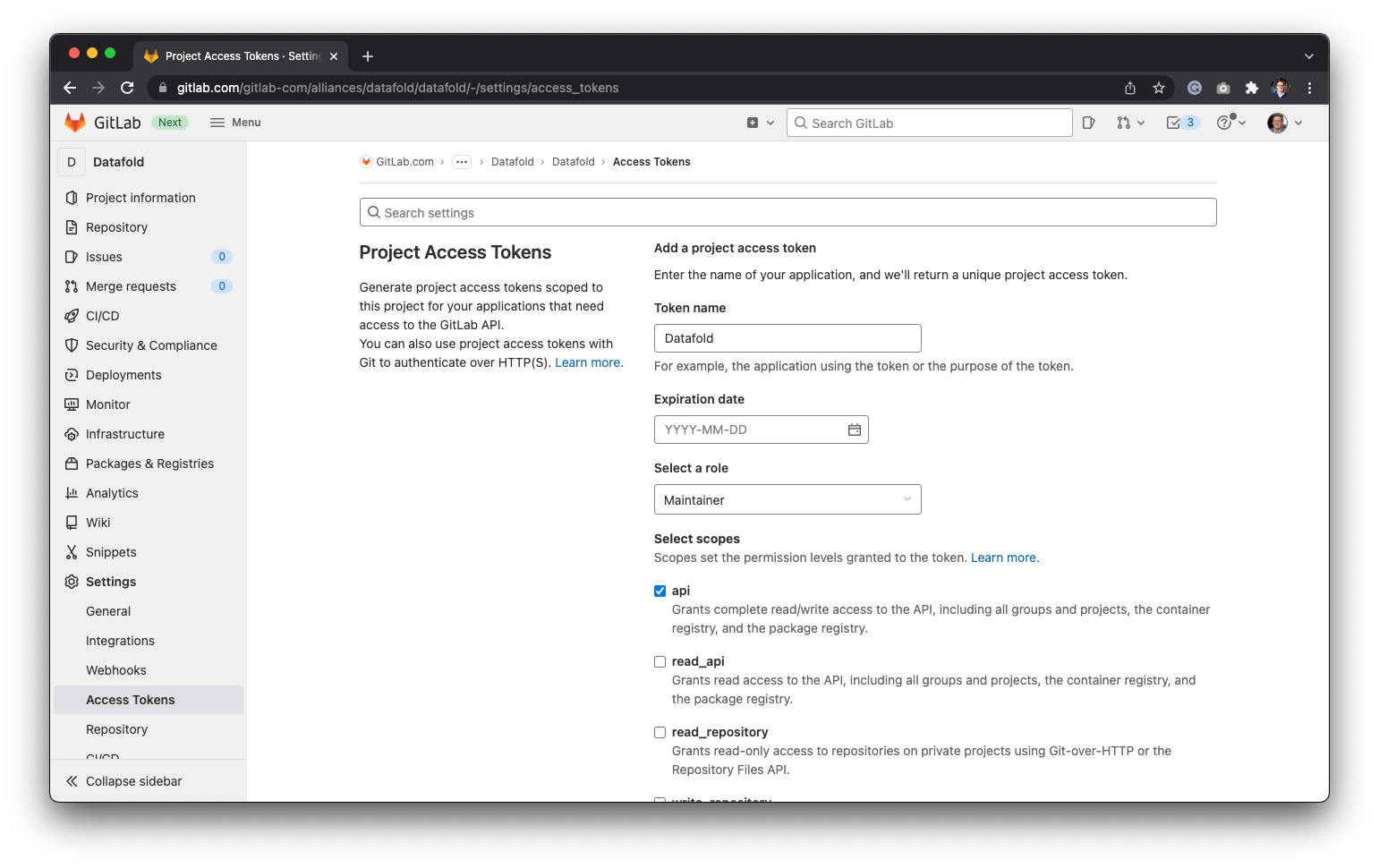
To get the project access token, navigate to your GitLab project settings and create a new token.
TIPProject access tokens are preferred over personal tokens for security.
When configuring your token, select the api scope and the Maintainer role. Maintainer lets Datafold install the webhook for you. With the Developer role the integration still saves, and Datafold shows manual webhook instructions: add the shown webhook URL and secret under Settings → Webhooks in your GitLab project and tick Push events and Merge request events.

GitLab Access Token

Project is your GitLab project URL after gitlab.com/. For example, if your GitLab project URL is https://gitlab.com/datafold/dbt/, your Project is datafold/dbt (no trailing slash). Finally, navigate back to Datafold and enter the Personal/Project Access Token and the name of your Project before hitting Save:
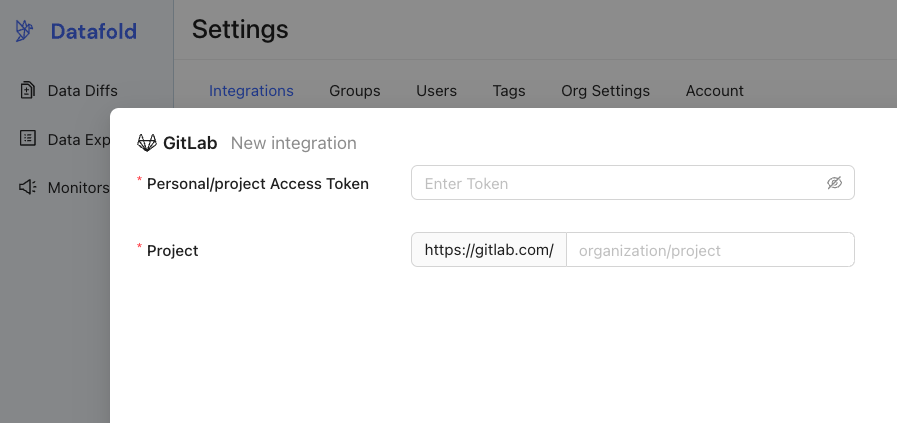
New GitLab Integration in Datafold
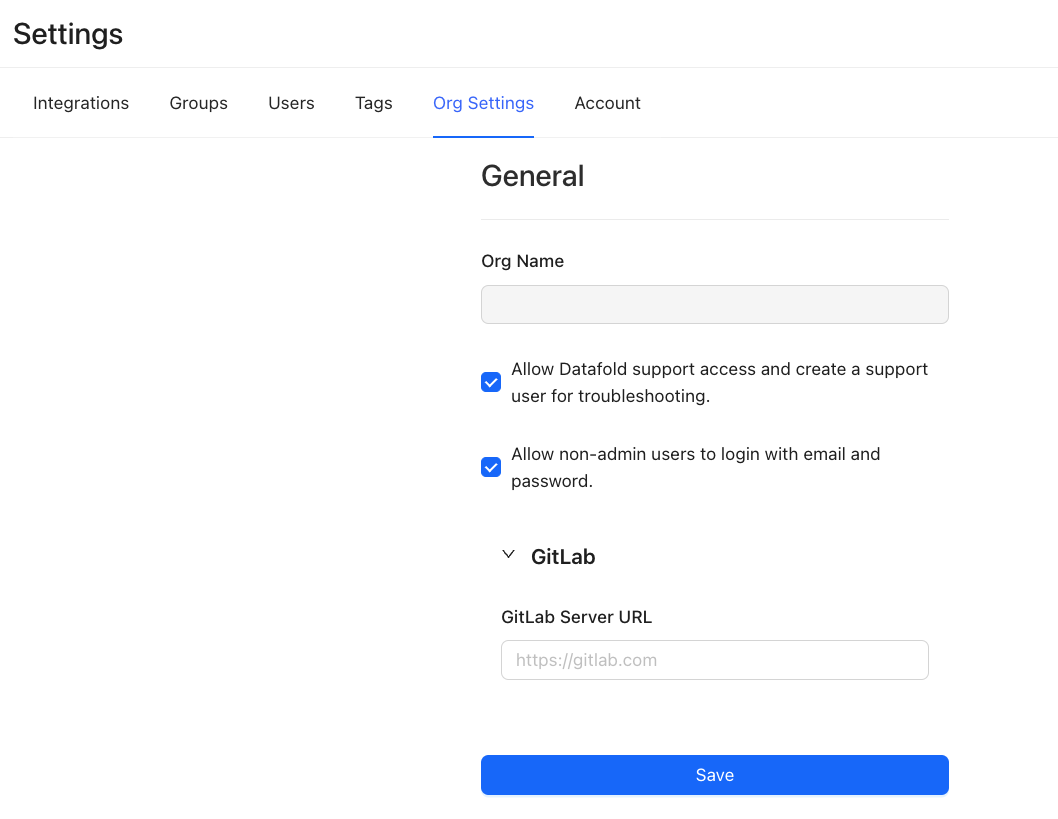
If you want to change the GitLab URL, you can do so after setting up the integration. To do so, navigate to Settings, then Org Settings:

Change GitLab URL