
Column-level lineage
Datafold’s column-level lineage helps users trace and document the history, transformations, dependencies, and both downstream and upstream processes of a specific data column within an organization’s data assets. This feature allows you to pinpoint the origins of data validation issues and comprehensively identify downstream data processes and applications. To view column-level lineage, set Lineage detail to Columns.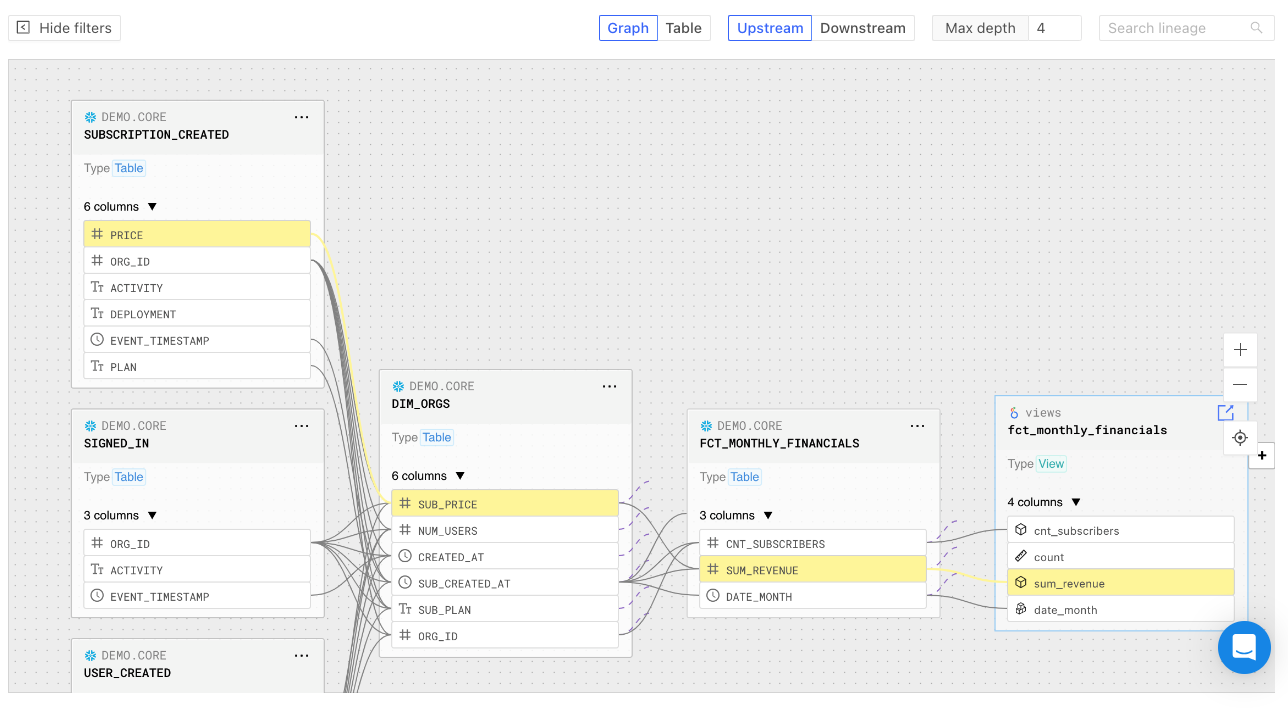
Lineage Graph Columns Dropdown
Highlight path between assets
To highlight the column path between assets, click the specific column. Reset the view by clicking the Exit selected path button.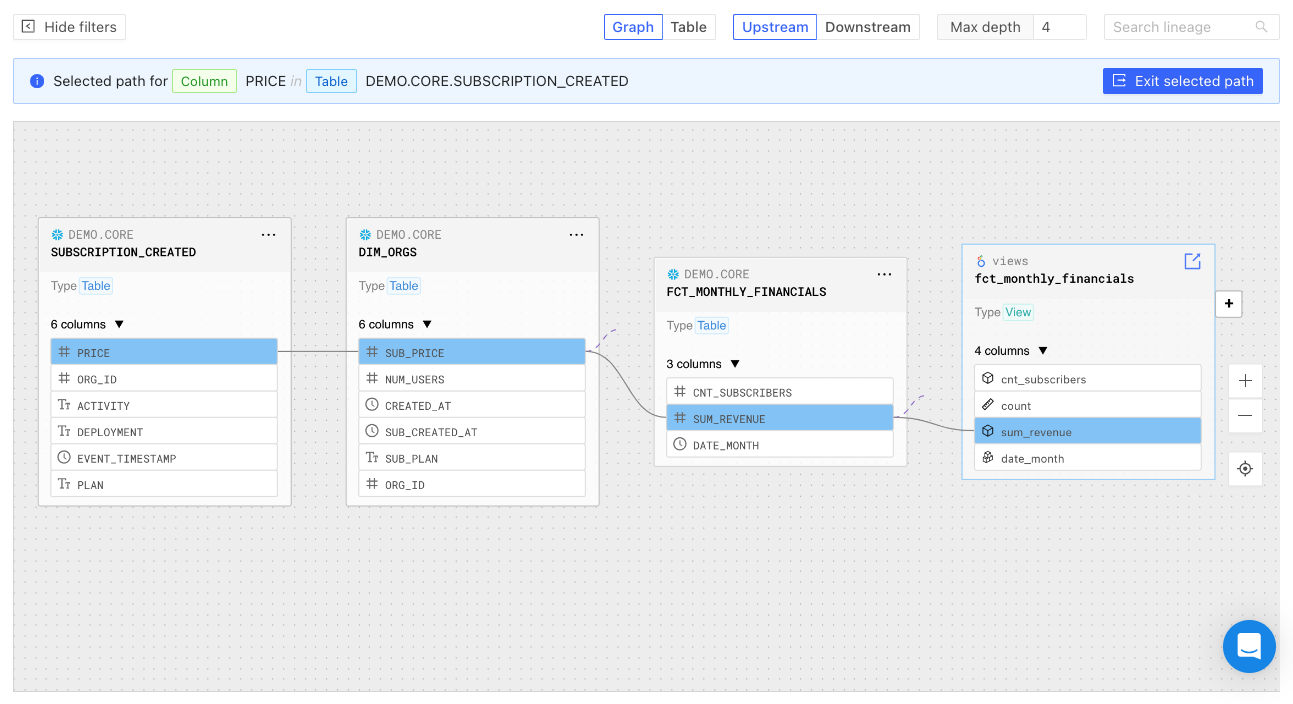
Selected Path in Lineage Graph
Tabular lineage
Datafold also offers a tabular lineage view. You can sort lineage information by depth, asset type, identifier, and owner. Click on the Actions button for further options: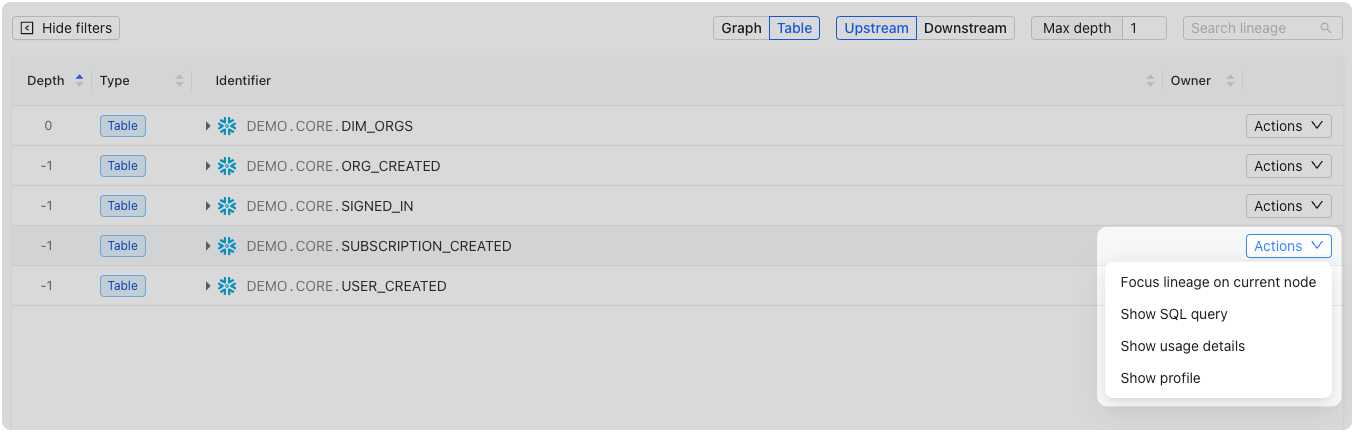
Tabular Lineage Actions Dropdown
Focus lineage
Drill down onto the data node or column of interest.Show definition
Access the SQL definition associated with the selected column to understand how the data was queried from the source: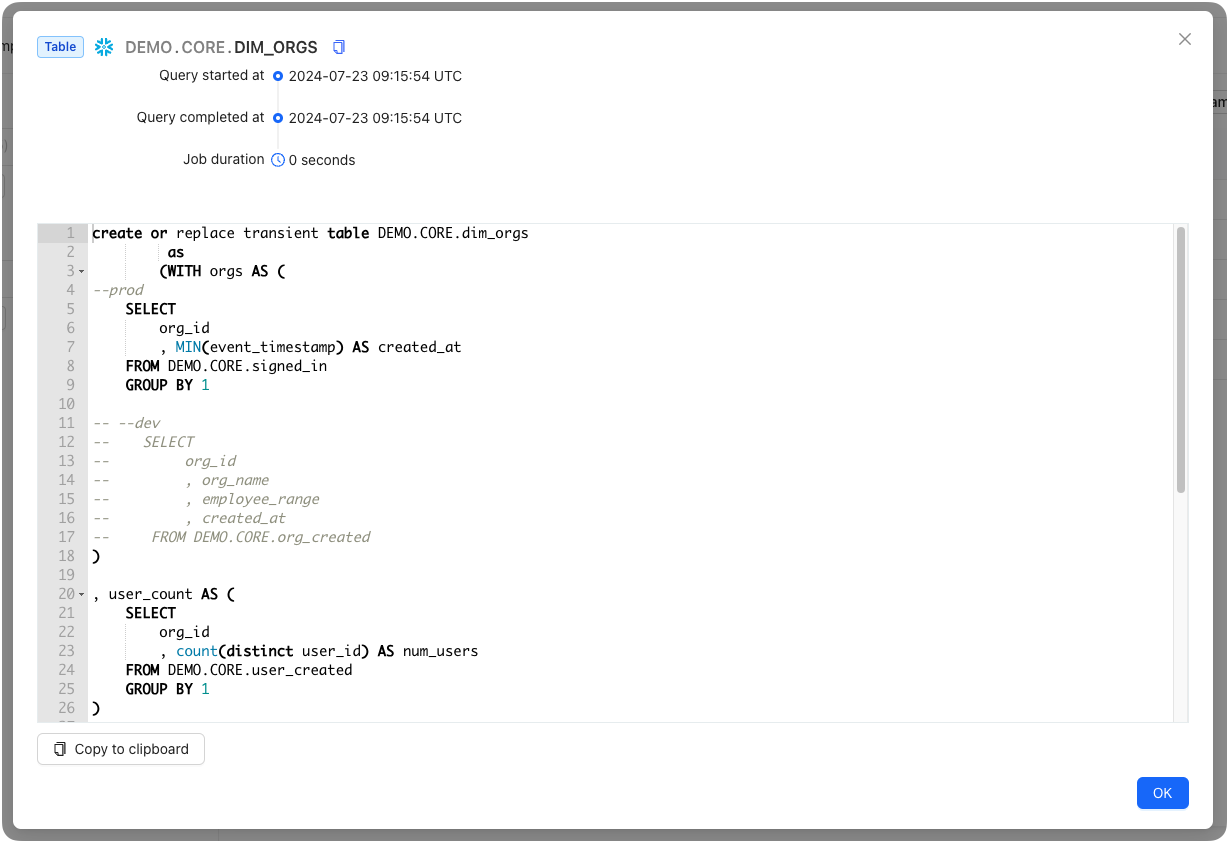
Show SQL Query in Tabular Lineage
Show usage details
Access detailed information about the column’s read, write, and cumulative read (the sum of read count including read count of downstream columns) for the previous 7 days: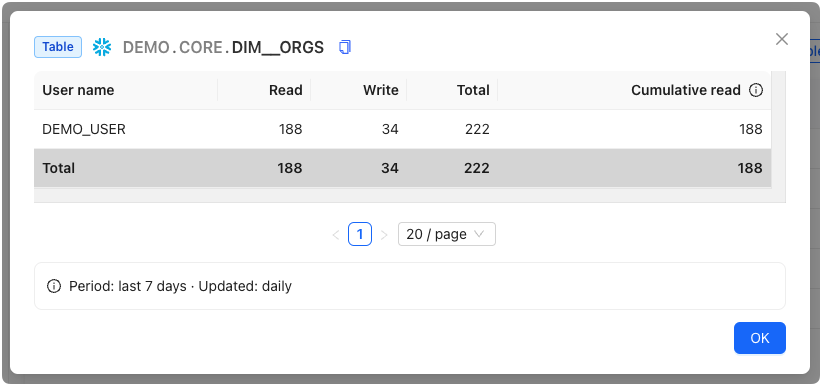
Usage Details in Tabular Lineage
Search and filters
Datafold offers powerful search and filtering capabilities to help users quickly locate specific data assets and isolate data connections of interest. In both the graphical and tabular lineage views, you can filter by tables or columns within tables, allowing you to go as granular as needed.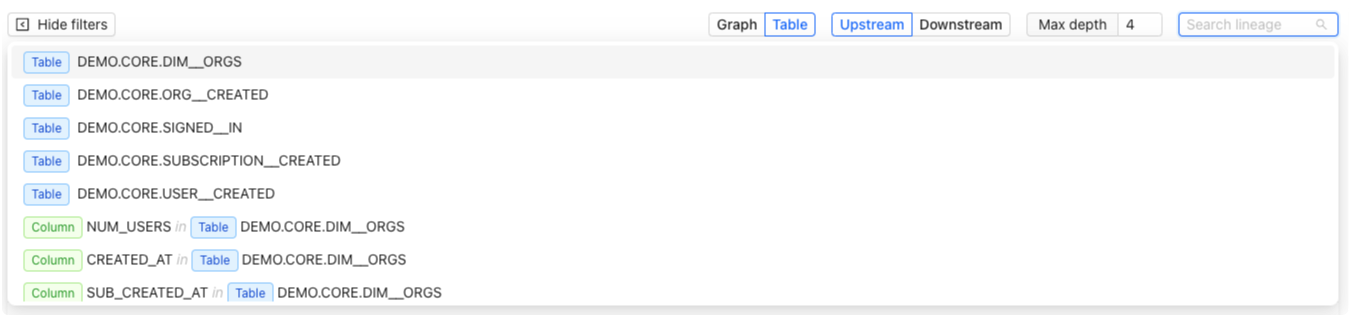
Search and Filter in Tabular Lineage
Table filtering
Simply enter the table’s name in the search bar to filter and display all relevant information associated with that table.Column filtering
To focus specifically on columns, you can search using a combination of keywords. For instance, searching “column table” will display columns associated with a table, while a query like “column dim customer” narrows the search to columns within the “dim customer” table.Settings
You can configure the settings for Lineage under Settings > Data Connections > [connection] > Advanced settings: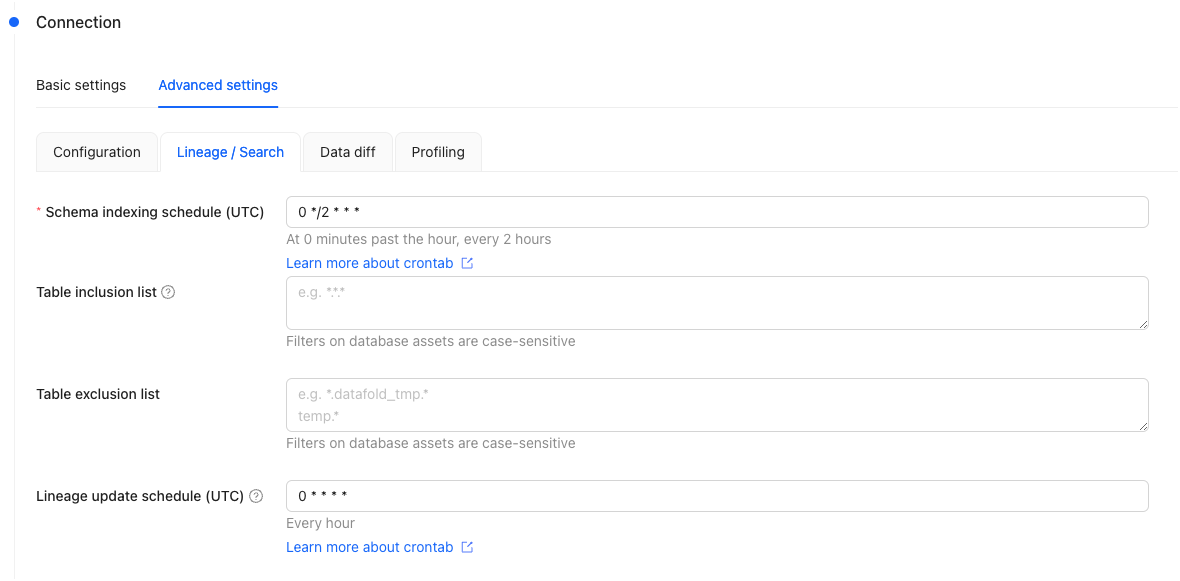
Lineage Advanced Settings
Schema Sync Schedule (UTC)
Customize the frequency and timing of when to update the indexes on database schemas. The schedule is defined through a cron tab expression.Table inclusion/exclusion
You can filter to include and/or exclude specific tables to be shown in Lineage. When the inclusion list is set, only the tables specified in this list will be visible in the lineage and search results. When the inclusion list is not set, all tables will be visible by default, except for those explicitly specified in the exclusion list.Lineage Sync Schedule (UTC)
Customize the frequency and timing of when to scan the query history of your data warehouse to build and update the data lineage. The schedule is defined through a cron tab expression.FAQ
How is lineage computed?
How is lineage computed?
Datafold computes column-level lineage by:
- Ingesting, parsing and analyzing SQL logs from your databases and data warehouses. This allows Datafold to infer dependencies between SQL statements, including those that create, modify, and read data.
- Augmenting the metadata graph with data from various sources. This includes metadata from orchestration tools (e.g., dbt), BI tools, and user-provided documentation.
Is there a programmatic way to retrieve lineage?
Is there a programmatic way to retrieve lineage?
Yes. Lineage can be queried programmatically through the Datafold MCP server or the lineage (Explore) endpoints of the Datafold API. The GraphQL API used by the app itself is not a stable public API.