
1. Issue an Access Token
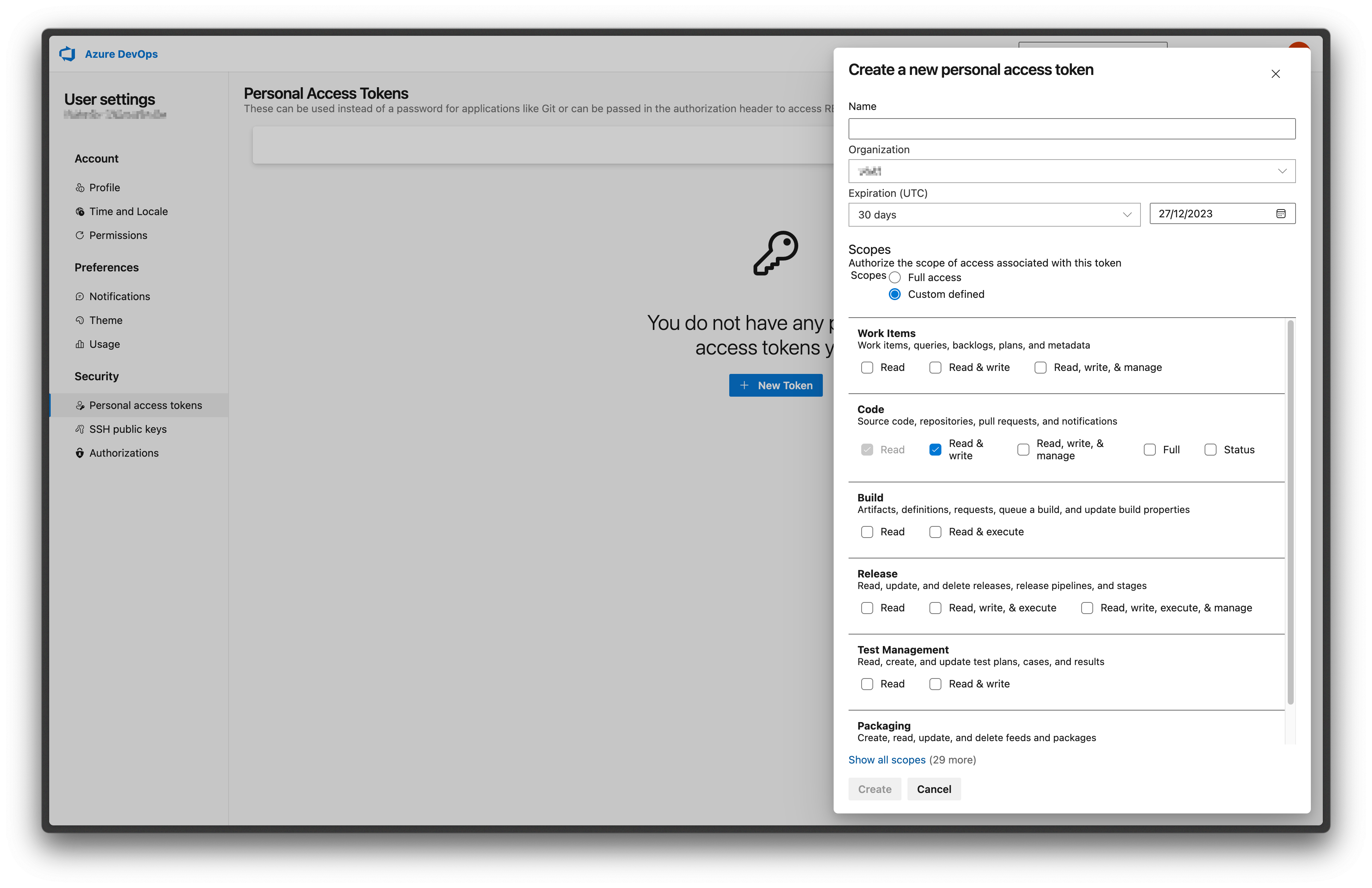
To get your repository access token, navigate to your Azure DevOps settings and create a new token. When configuring your token, enable the following permissions:- Code -> Read & write
- Identity -> Read
2. Configure integration in Datafold
Navigate back to Datafold and fill in the configuration form.- Authentication: Personal/Project Access Token or Microsoft Entra ID.
- Personal/Project Access Token: the token you created in step 1.
- For Microsoft Entra ID (service principal), enter the Directory (tenant) ID, Application (client) ID, and Client secret of an Entra app registration that has access to the project. Available for dev.azure.com only.
- Organization: your Azure DevOps organization name.
- Project: your Azure DevOps project name.
- Repository: your Azure DevOps repository name.
https://dev.azure.com/datafold/analytics/_git/dbt:
- Your Organization is
datafold - your Project is
analytics - your Repository is
dbt