Enable sampling
Sampling can be helpful when diffing between extremely large datasets. The extent of the speedup depends on various factors, including the scale of the data, instance sizes, and the number of data columns. When sampling is enabled, Datafold compares a randomly chosen subset of the data. Sampling is the tradeoff between the diff detail and time/cost of the diffing process. For most use cases, sampling does not reduce the informational value of data diffs as it still provides the magnitude and specific examples of differences (e.g., if 10% of sampled data show discrepancies, it suggests a similar proportion of differences across the entire dataset).Handling data type differences
Datafold automatically manages data type differences during cross-database diffing. For example, when comparing decimals with different precisions (e.g.,DECIMAL(38,15) in SQL Server and DECIMAL(38,19) in Snowflake), Datafold automatically casts values to a common precision before comparison, flagging any differences appropriately. Similarly, for timestamps with different precisions (e.g., milliseconds in SQL Server and nanoseconds in Snowflake), Datafold adjusts the precision as needed for accurate comparisons, simplifying the diffing process.
Optimizing OLTP databases: indexing
When working with row-oriented transactional databases like PostgreSQL, index the columns used in filters and the primary key columns to speed up data extraction.Handling high percentage of differences
Cross-database diffs fetch both datasets (or a sample) into Datafold’s diff engine. For very large or highly divergent tables:- Start with diffing primary keys only to identify row-level completeness first, before diffing all or more columns.
- Enable sampling, add a SQL filter, or compare fewer columns.
Executing queries in parallel
Increase the number of concurrent connections to the database in Datafold. This enables queries to be executed in parallel, significantly accelerating the diff process. In Settings → Data Connections → [your connection], raise Max connections (up to 999) to increase the number of concurrent connections Datafold can establish with your database. Leave it empty to use the default for that database type.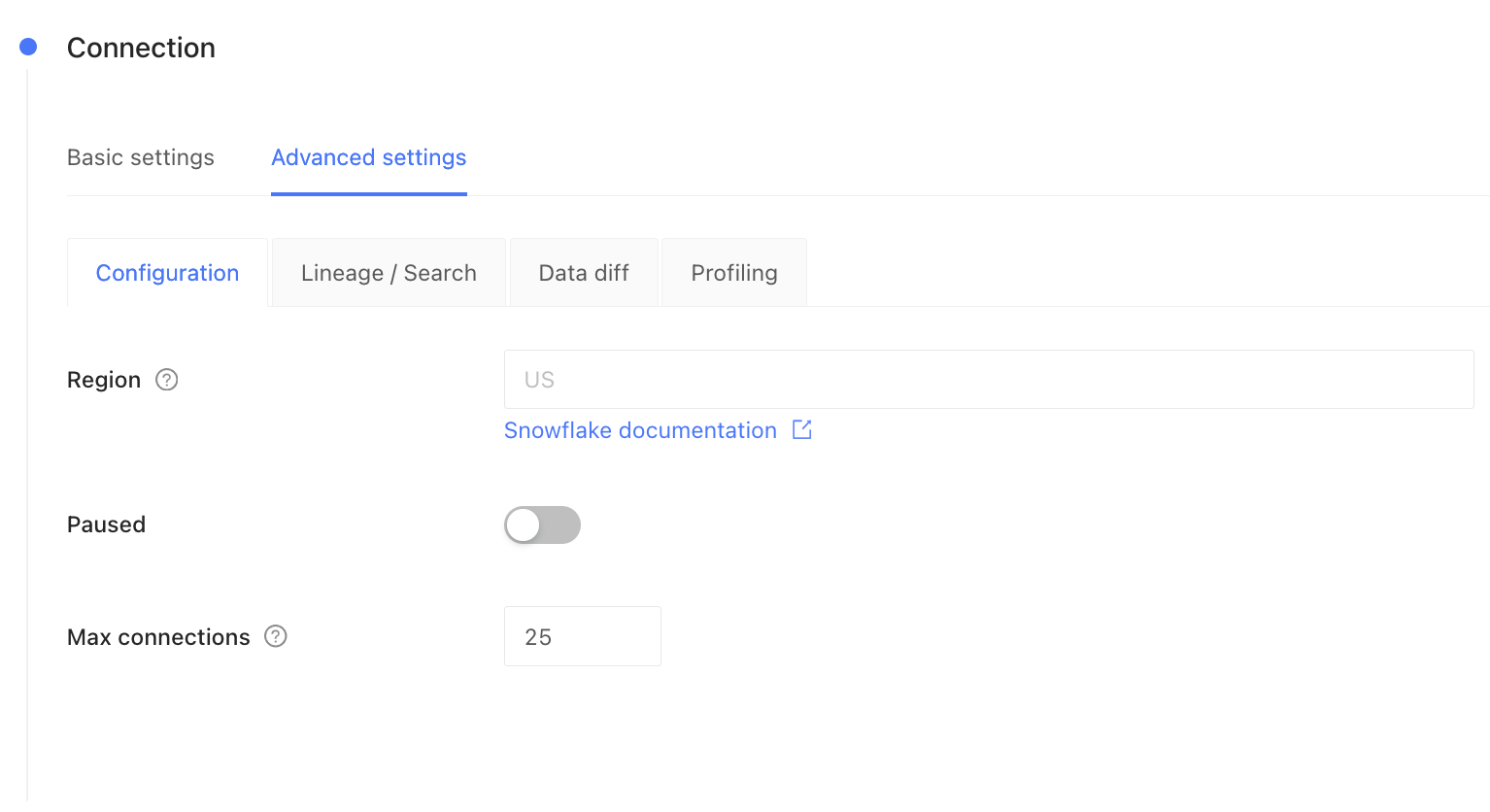
Optimize column selection
The number of columns included in the diff directly impacts its speed: selecting fewer columns typically results in faster execution. To optimize performance, refine your column selection based on your specific use case:- Comprehensive verification: For in-depth analysis, include all columns in the diff. This method is the most thorough, suitable for exhaustive data reviews, albeit time-intensive for wide tables.
- Minimal verification: Consider verifying only the primary key and
updated_atcolumns. This is efficient and sufficient if you need to validate rows have not been added or removed, and that updates are current between databases, but do not need to check for value-level differences between rows with common primary keys. - Presence verification: If your main concern is just the presence of data (whether data exists or has been removed), such as identifying missing hard deletes, verifying only the primary key column can be sufficient.
- Hybrid verification: Focus on key columns that are most critical to your operations or data integrity, such as monetary values in an
amountcolumn, while omitting large serialized or less critical columns likejson_settings.
Handling different primary key types
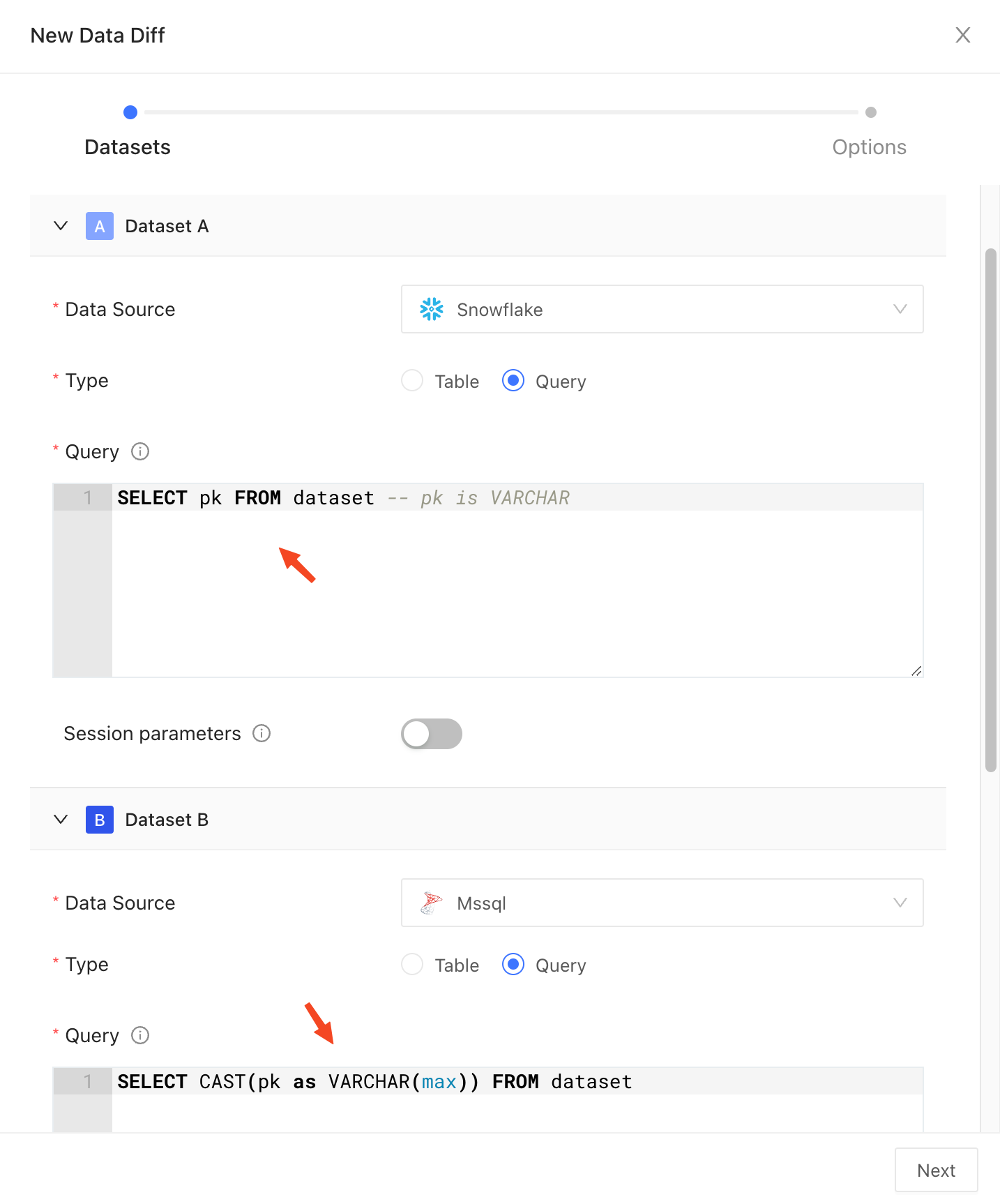
As a general rule, primary keys should be of the same (or similar) type in both datasets for diffing to work properly. Comparing primary keys of different types (e.g.,INT vs VARCHAR) will result in a type mismatch error. You can still diff such datasets by casting the primary key column to the same type in both datasets explicitly.
Indexes on the primary key typically cannot be utilized when the primary key is cast to a different type. This may result in slower diffing performance. Consider creating a separate index, such as expression index in PostgreSQL, to improve performance.