> ## Documentation Index
> Fetch the complete documentation index at: https://docs.datafold.com/llms.txt
> Use this file to discover all available pages before exploring further.
> Automatically sync group membership with your SAML Identity Provider (IdP).
# Group provisioning
## 1. Create desired groups in the IdP
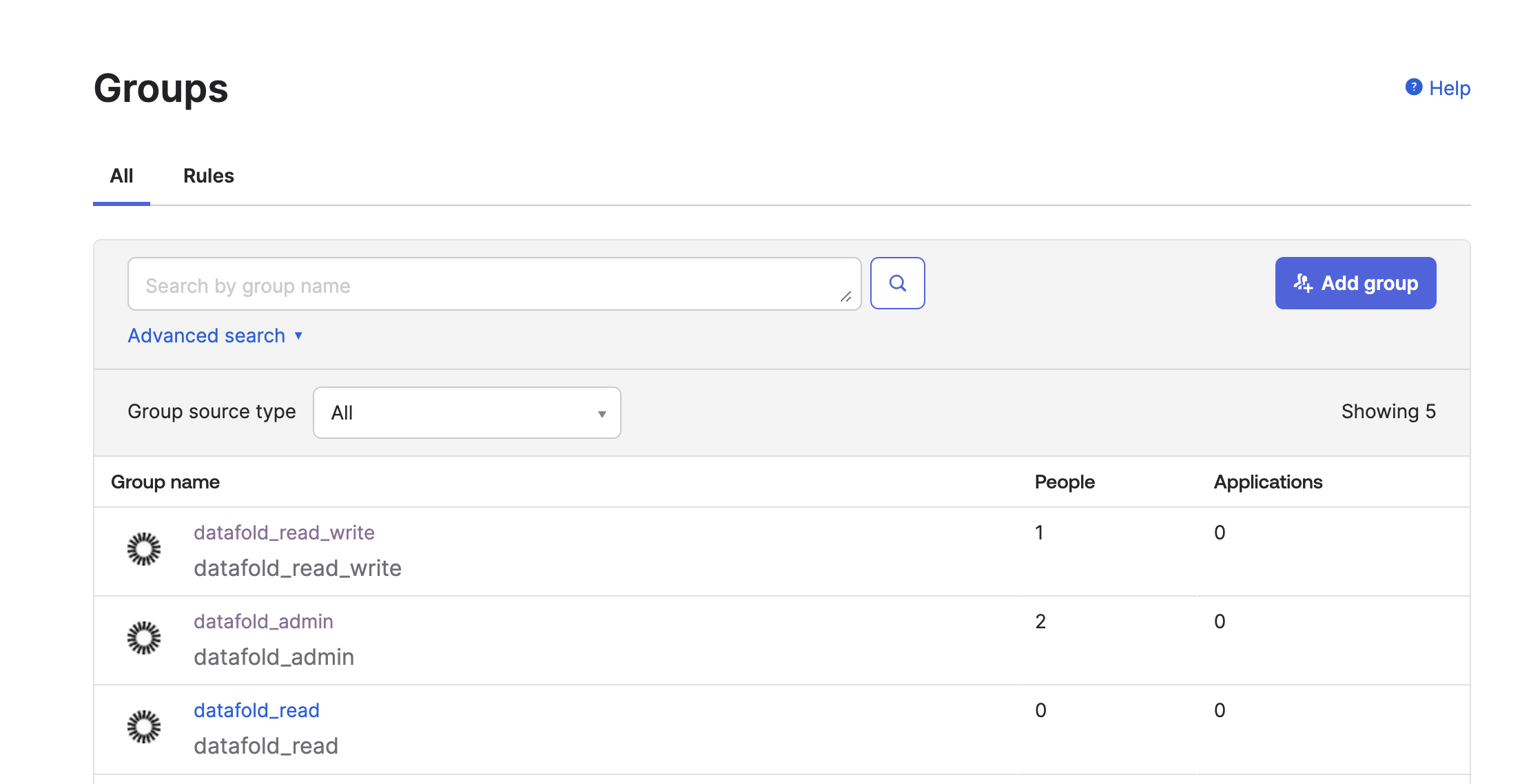 ## 2. Assign the desired users to groups
Assign the relevant users to groups reflecting their roles and permissions.
## 3. Configure the SAML SSO provider
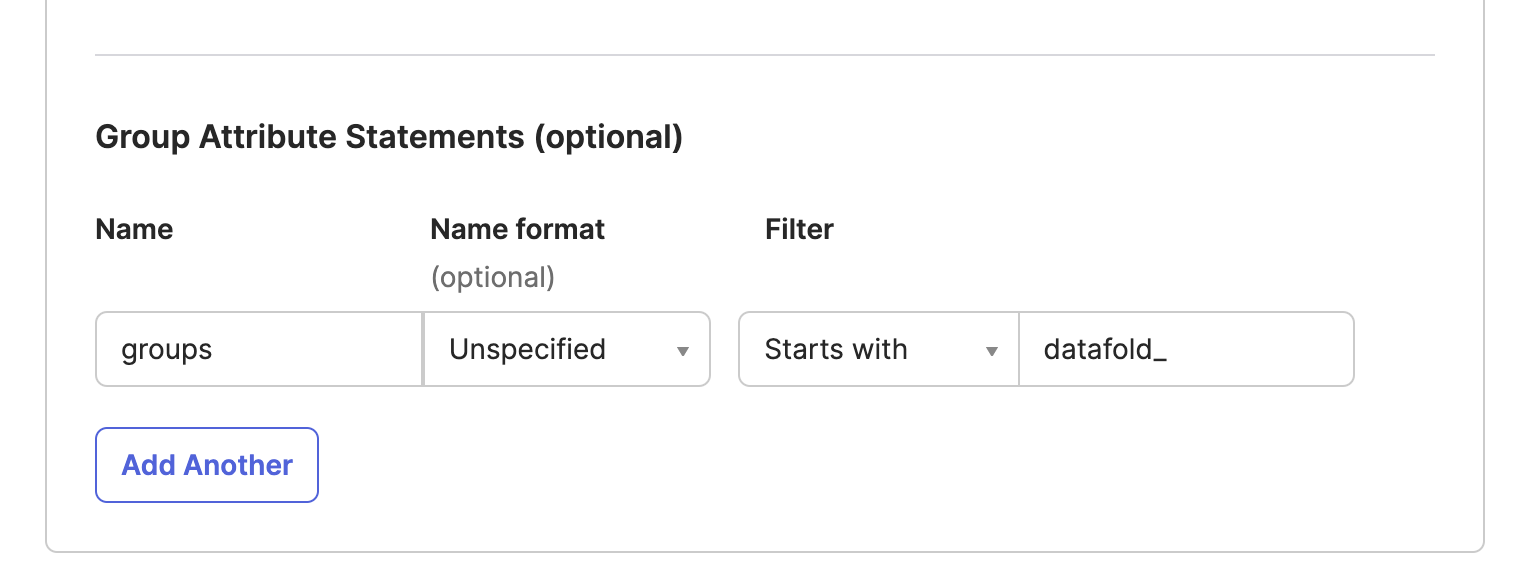
Configure your SAML SSO provider to include a `groups` attribute. This attribute should list all the groups you want to sync.
```Bash theme={null}
datafold_admindatafold_read_write
```
## 2. Assign the desired users to groups
Assign the relevant users to groups reflecting their roles and permissions.
## 3. Configure the SAML SSO provider
Configure your SAML SSO provider to include a `groups` attribute. This attribute should list all the groups you want to sync.
```Bash theme={null}
datafold_admindatafold_read_write
```
 ## 4. Map IdP groups to Datafold groups
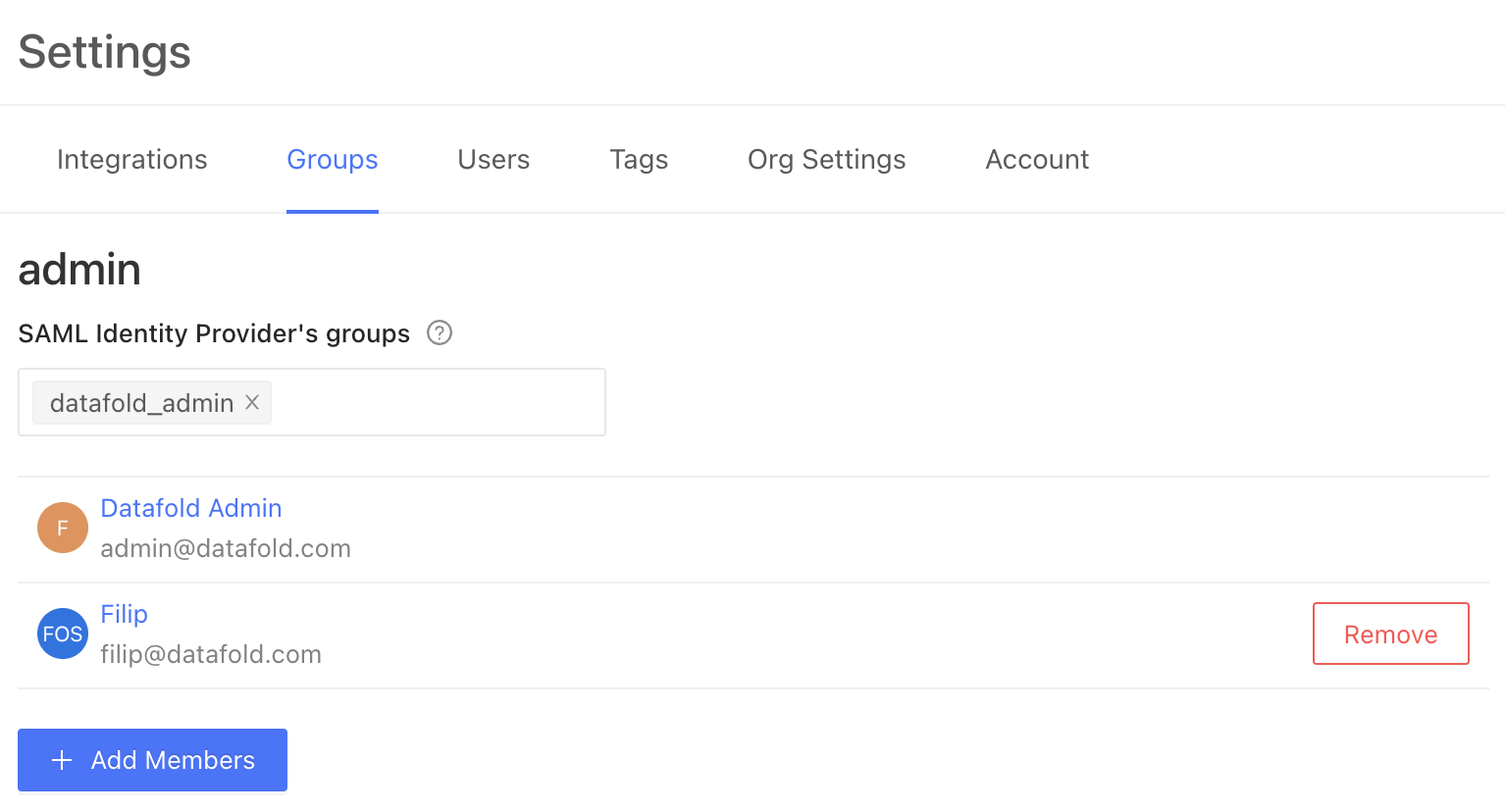 The `datafold_admin` group, created in the IdP through [step 1](#1-create-desired-groups-in-the-idp), will be automatically synced. Users in this IdP group will also be members of the corresponding group in Datafold.
**Note:** Manual Datafold user group memberships will be overridden upon the user's next login to Datafold. Therefore, group memberships should be managed exclusively within the IdP once the `groups` attribute is configured.
## Example configuration
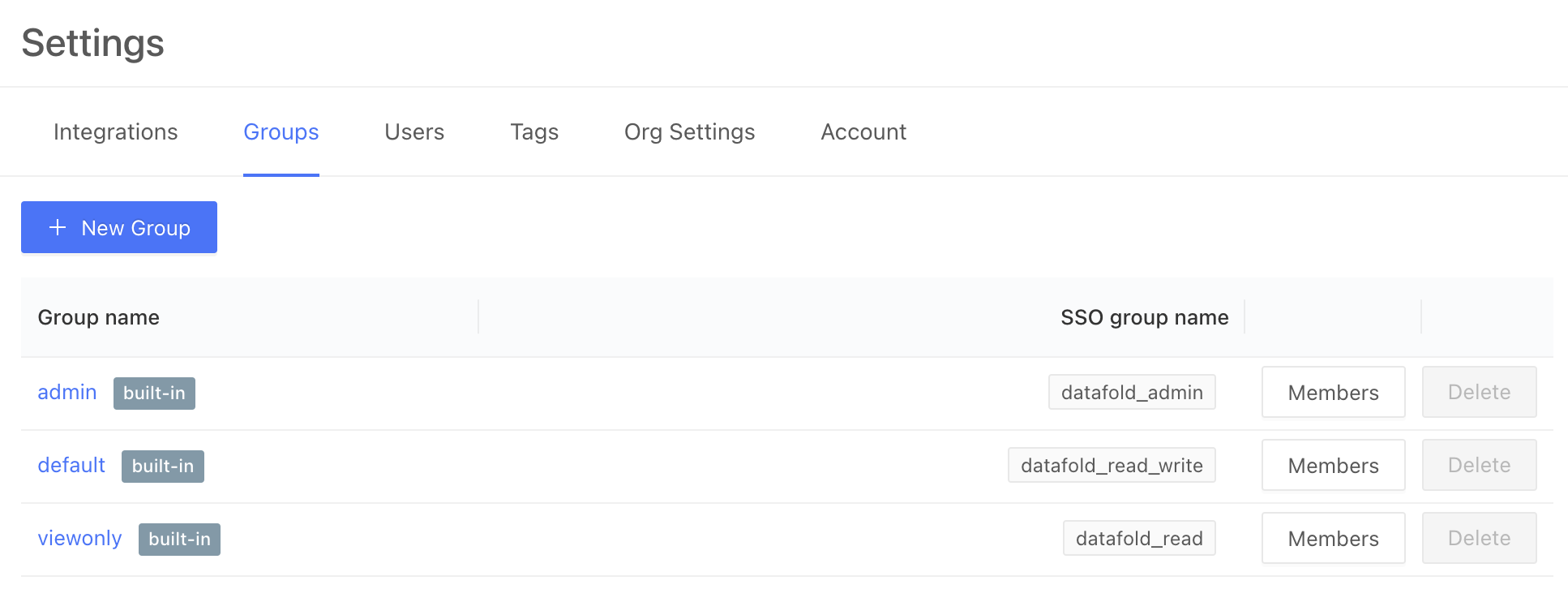
Here's how you might configure three groups to map to the three default Datafold groups, `admin`, `default` and `viewonly`:
The `datafold_admin` group, created in the IdP through [step 1](#1-create-desired-groups-in-the-idp), will be automatically synced. Users in this IdP group will also be members of the corresponding group in Datafold.
**Note:** Manual Datafold user group memberships will be overridden upon the user's next login to Datafold. Therefore, group memberships should be managed exclusively within the IdP once the `groups` attribute is configured.
## Example configuration
Here's how you might configure three groups to map to the three default Datafold groups, `admin`, `default` and `viewonly`: