> ## Documentation Index
> Fetch the complete documentation index at: https://docs.datafold.com/llms.txt
> Use this file to discover all available pages before exploring further.
# Okta
## Okta as a SAML Identity Provider
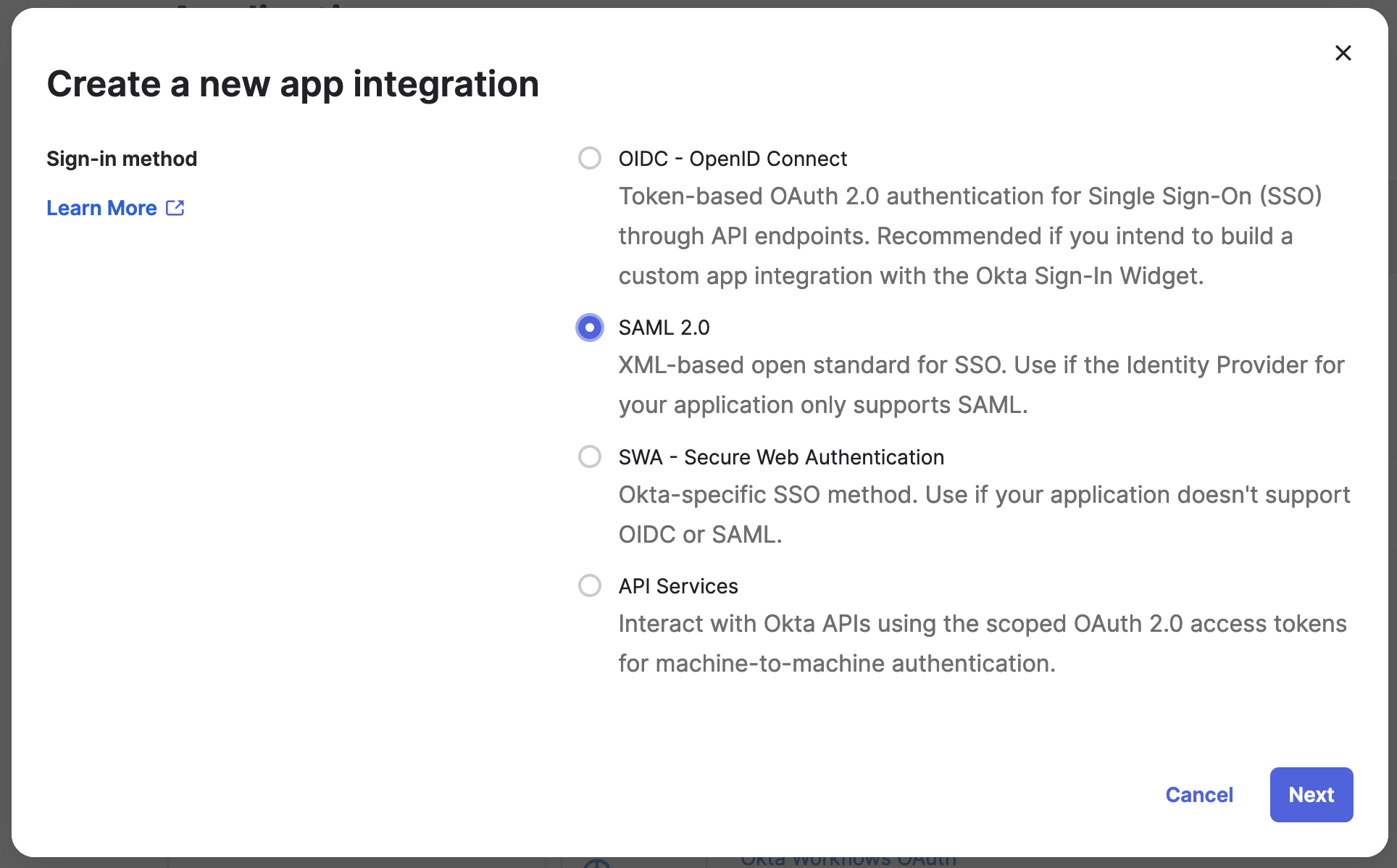
You can create an **Application** and use that to configure access to Datafold. Click on **Applications** and **Create App Integration**.
Select **SAML 2.0**
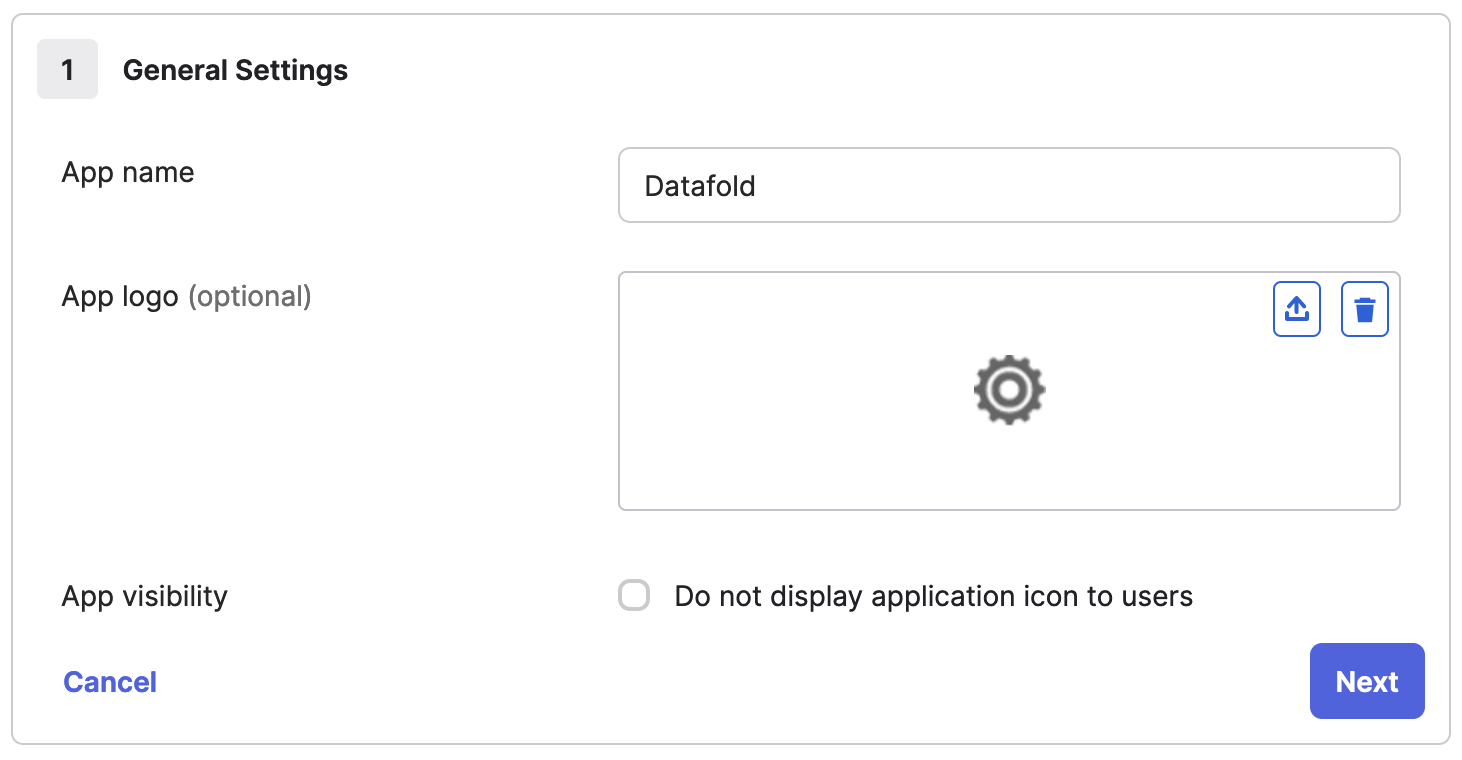
 Enter "Datafold" in **App name** and click **Next**.
 Go to `Datafold` and create a new SSO integration. Navigate to **Settings** → **Integrations** → **Add new Integration** → **SAML**.
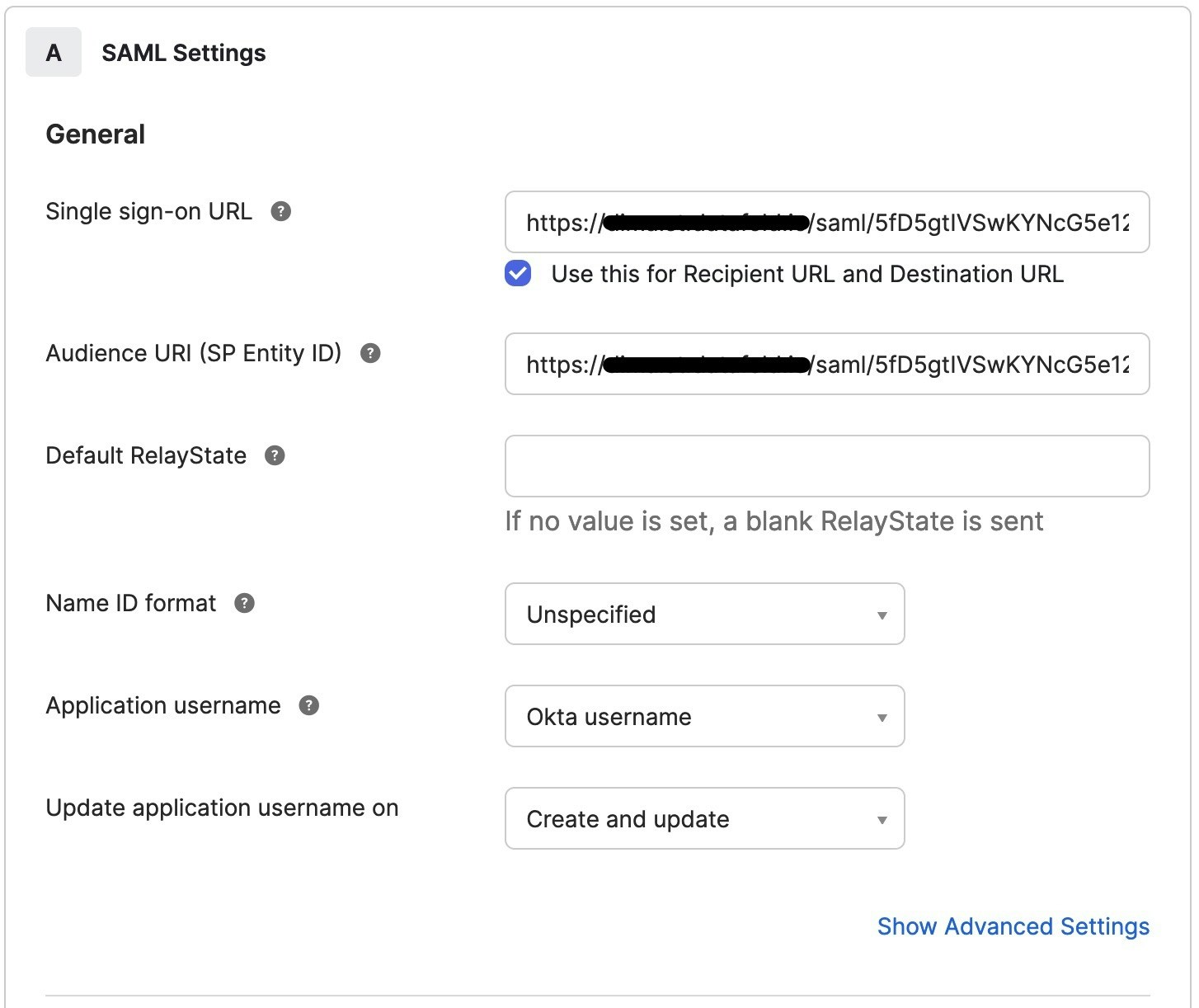
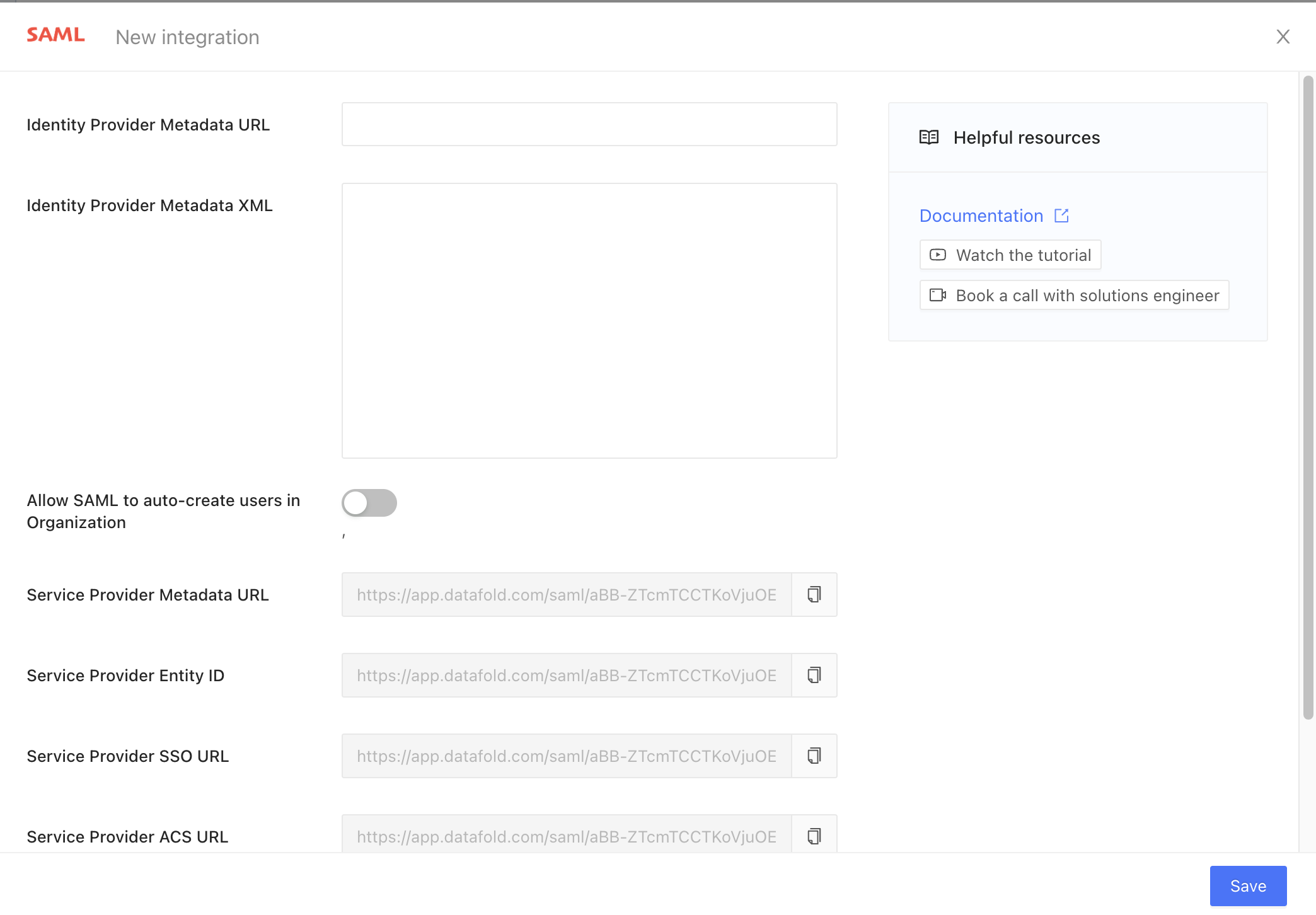 * Copy the read-only field **Service Provider ACS URL** and paste it into **Single sign-on URL**.
* Copy the read-only field **Service Provider Entity ID** and paste it into **Audience URI (SP Entity ID)**.
* Copy the read-only field **Service Provider ACS URL** and paste it into **Single sign-on URL**.
* Copy the read-only field **Service Provider Entity ID** and paste it into **Audience URI (SP Entity ID)**.
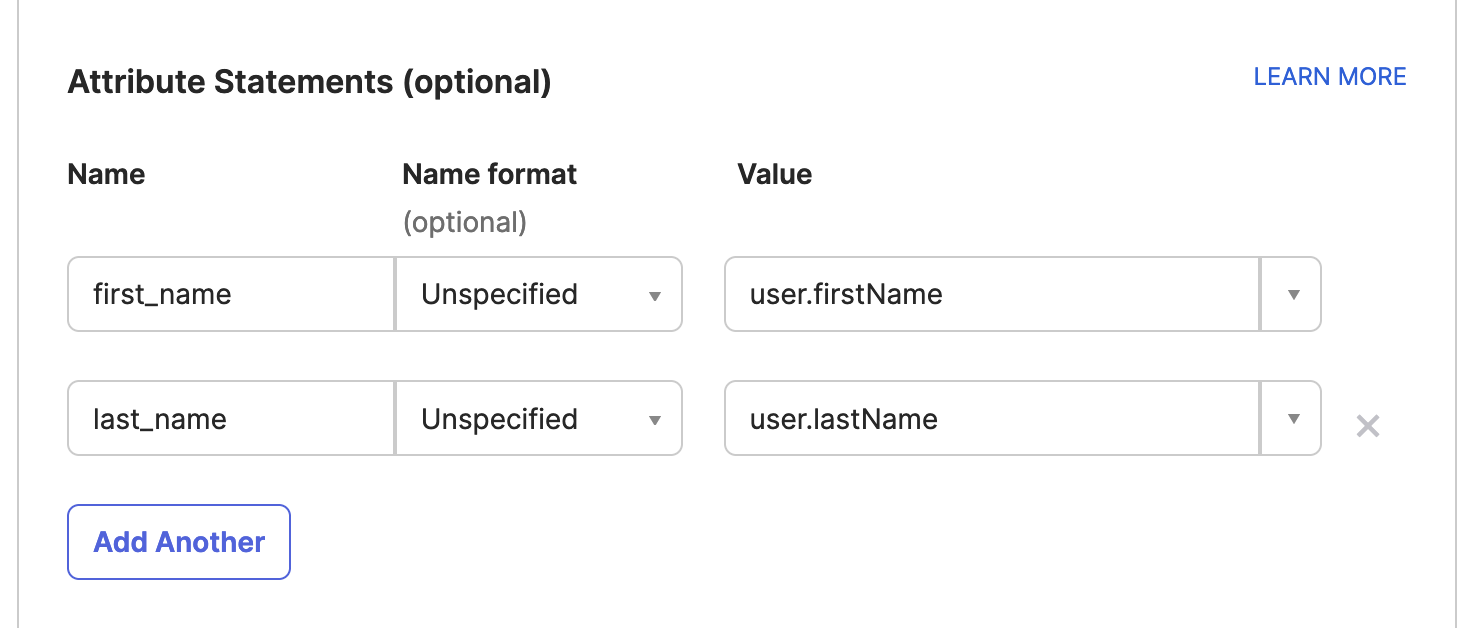
 (Optional step) In **Attribute Statements (optional)** add fields:
* Name: `first_name`, Value: `user.firstName`
* Name: `last_name`, Value: `user.lastName`
(Optional step) In **Attribute Statements (optional)** add fields:
* Name: `first_name`, Value: `user.firstName`
* Name: `last_name`, Value: `user.lastName`
 Click **Next** and **Finish**.
Go to `Okta` and copy the **Metadata URL** field from **Datafold** → **Sign On** → **Metadata details**.
Click **Next** and **Finish**.
Go to `Okta` and copy the **Metadata URL** field from **Datafold** → **Sign On** → **Metadata details**.
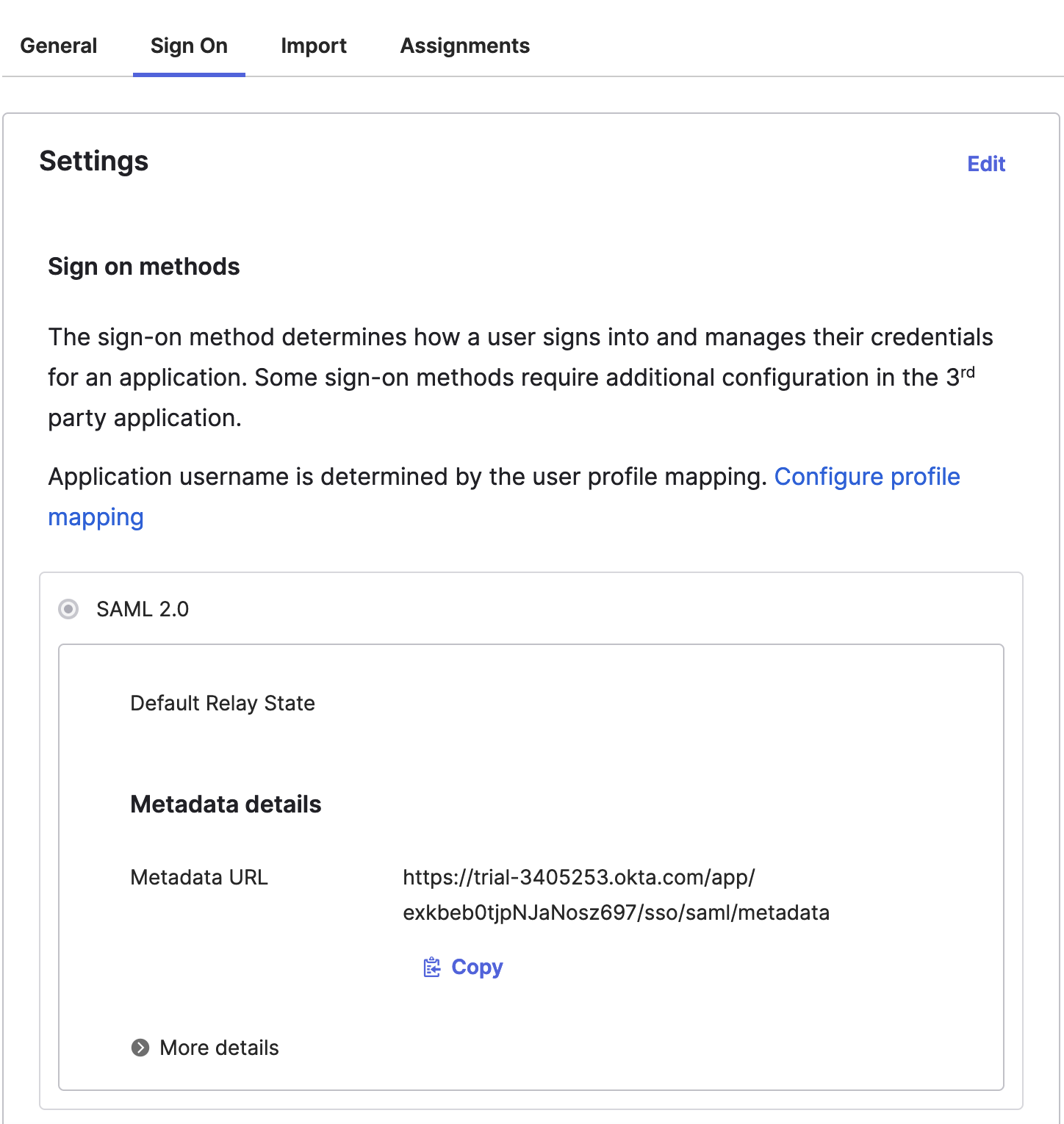 Go back to `Datafold` and paste it into **Identity Provider Metadata URL** field.
Finally, click **Save** to create the integration.
Navigate to **Settings** → **Integrations** → **SSO** → **SAML**.
If everything is correct, the **Identity Provider Metadata XML** field will contain XML.
Go back to `Datafold` and paste it into **Identity Provider Metadata URL** field.
Finally, click **Save** to create the integration.
Navigate to **Settings** → **Integrations** → **SSO** → **SAML**.
If everything is correct, the **Identity Provider Metadata XML** field will contain XML.