> ## Documentation Index
> Fetch the complete documentation index at: https://docs.datafold.com/llms.txt
> Use this file to discover all available pages before exploring further.
# Azure Data Lake Storage (ADLS)
This integration supports both Azure Data Lake Storage and Azure Blob Storage.
**Steps to complete:**
1. [Create an app and service principal in Microsoft Entra](#create-an-app-and-service-principal-in-microsoft-entra)
2. [Configure your data connection in Datafold](#configure-your-data-connection-in-datafold)
3. [Create your first file diff](#create-your-first-file-diff)
## Create an app and service principal in Microsoft Entra
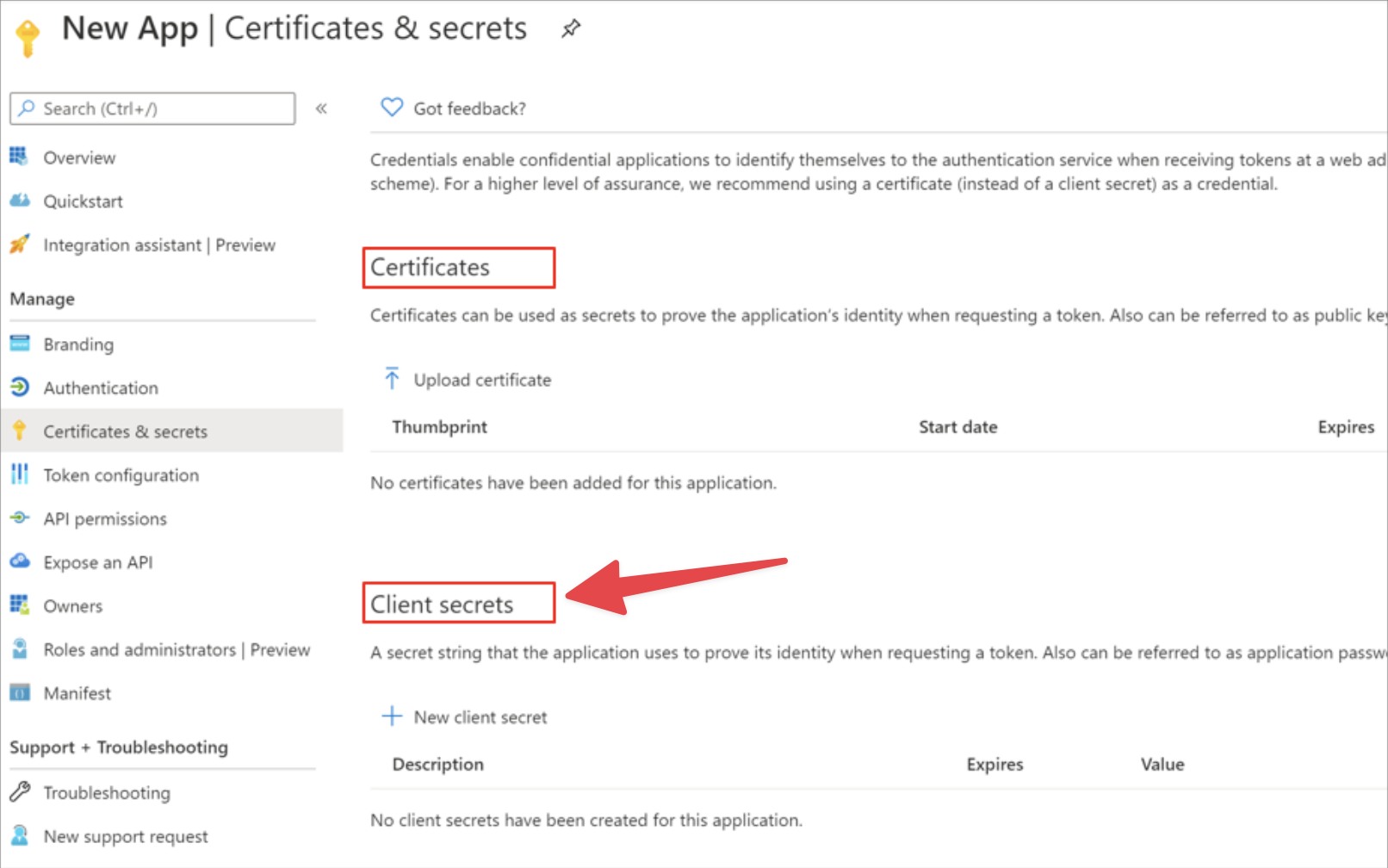
Create an app and service principal in Entra using a client secret (not certificate). Check out [Microsoft's documentation](https://learn.microsoft.com/en-us/entra/architecture/service-accounts-principal) on this topic if you need help.
 ## Configure your data connection in Datafold
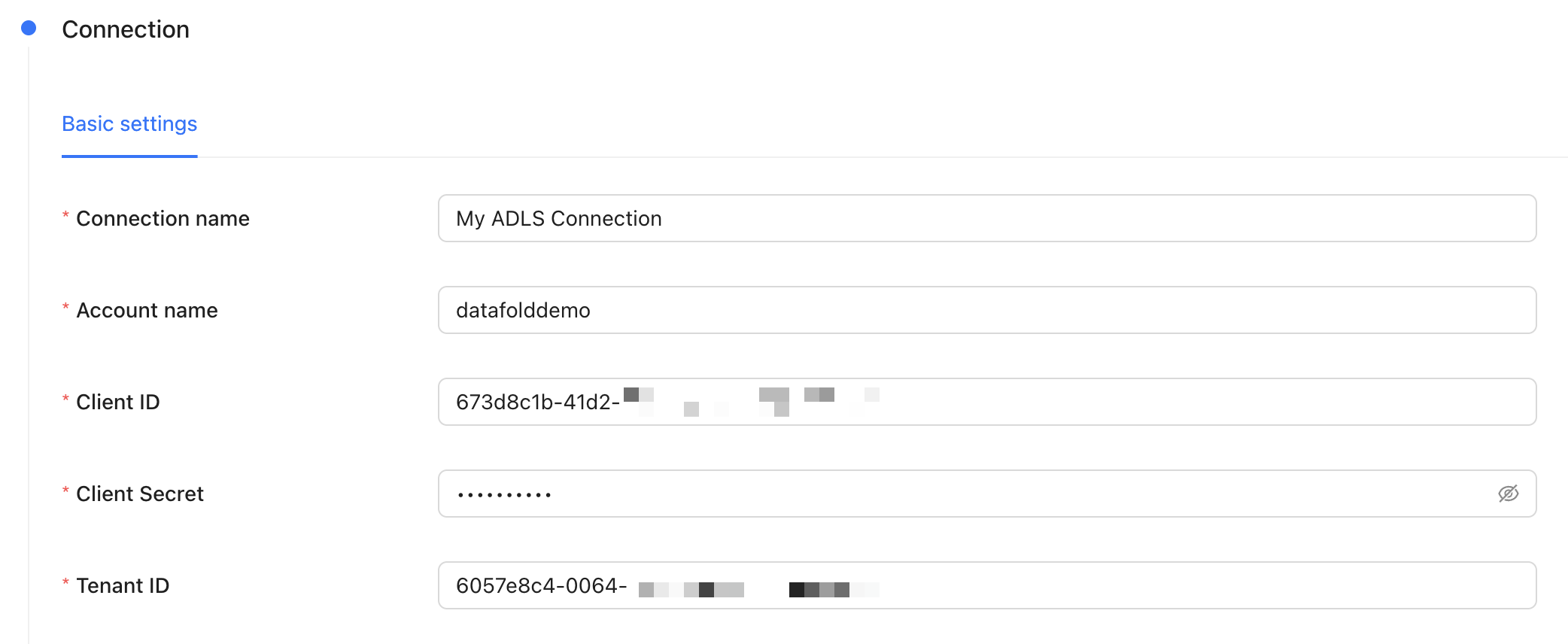 | Field Name | Description |
| --------------- | -------------------------------------------------------------------------------------------------------- |
| Connection name | The name you'd like to give to this connection in Datafold |
| Account Name | This is in the URL of any filepath in ADLS, e.g. `.dfs.core.windows.net//` |
| Client ID | The client ID of the app you created in Microsoft Entra |
| Client Secret | The client secret of the app you created in Microsoft Entra |
| Tenant ID | The tenant ID of the app you created in Microsoft Entra |
## Create your first file diff
For general guidance on how file diffs work in Datafold, check out our [file diffing docs](/data-diff/file-diffing).
When creating a diff, note that the file path you provide may differ depending on whether you're using ADLS or Blob Storage. For example:
* ADLS: `abfss:////.`
* Blob Storage: `az:////.`
| Field Name | Description |
| --------------- | -------------------------------------------------------------------------------------------------------- |
| Connection name | The name you'd like to give to this connection in Datafold |
| Account Name | This is in the URL of any filepath in ADLS, e.g. `.dfs.core.windows.net//` |
| Client ID | The client ID of the app you created in Microsoft Entra |
| Client Secret | The client secret of the app you created in Microsoft Entra |
| Tenant ID | The tenant ID of the app you created in Microsoft Entra |
## Create your first file diff
For general guidance on how file diffs work in Datafold, check out our [file diffing docs](/data-diff/file-diffing).
When creating a diff, note that the file path you provide may differ depending on whether you're using ADLS or Blob Storage. For example:
* ADLS: `abfss:////.`
* Blob Storage: `az:////.`