> ## Documentation Index
> Fetch the complete documentation index at: https://docs.datafold.com/llms.txt
> Use this file to discover all available pages before exploring further.
# GitLab
To get the [project access token](https://docs.gitlab.com/ee/user/project/settings/project%5Faccess%5Ftokens.html), navigate to your GitLab project settings and create a new token.
**TIP**
Project access tokens are preferred over personal tokens for security.
When configuring your token, select the **Maintainer** role and select the **api** scope.
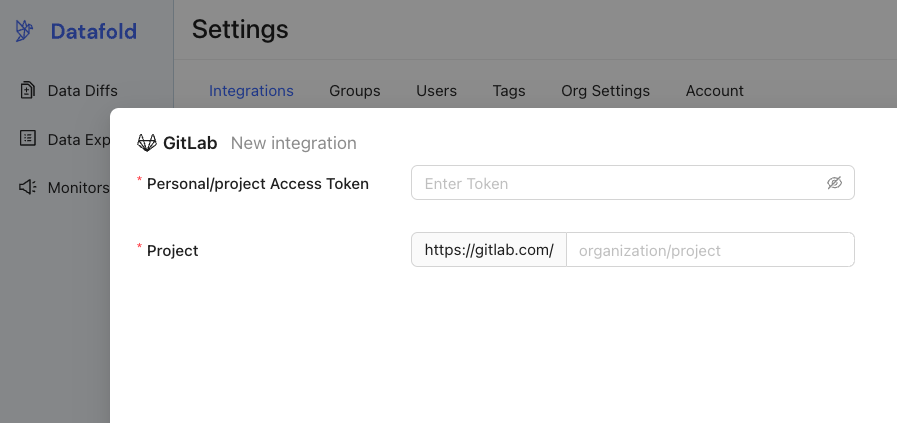
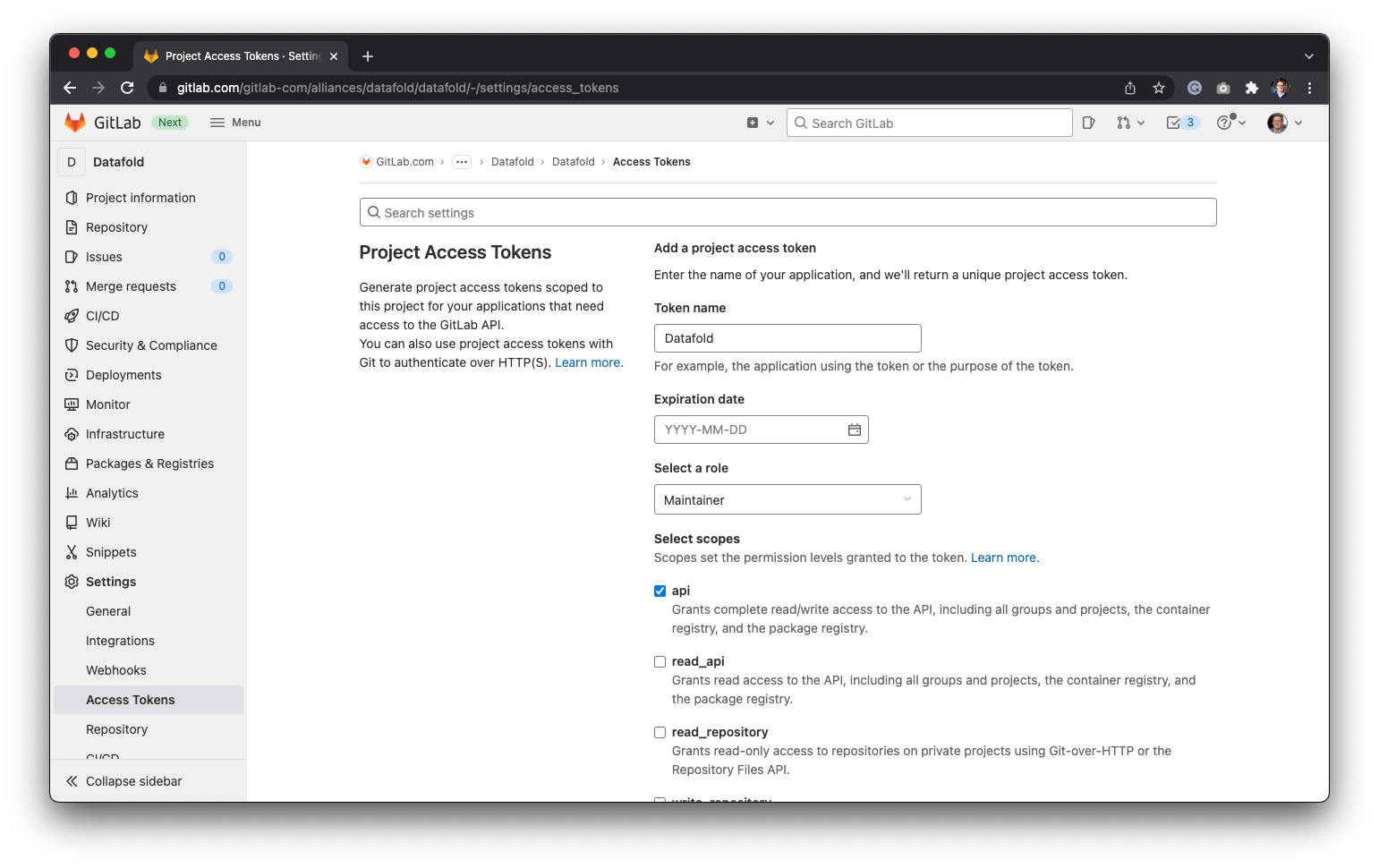 **Project Name** is your Gitlab project URL after `gitlab.com/`. For example, if your Gitlab project URL is `https://gitlab.com/datafold/dbt/`, your Project Name is `datafold/dbt/`
Finally, navigate back to Datafold and enter the **Project Token** and the name of your **Project** before hitting **Save**:
**Project Name** is your Gitlab project URL after `gitlab.com/`. For example, if your Gitlab project URL is `https://gitlab.com/datafold/dbt/`, your Project Name is `datafold/dbt/`
Finally, navigate back to Datafold and enter the **Project Token** and the name of your **Project** before hitting **Save**:
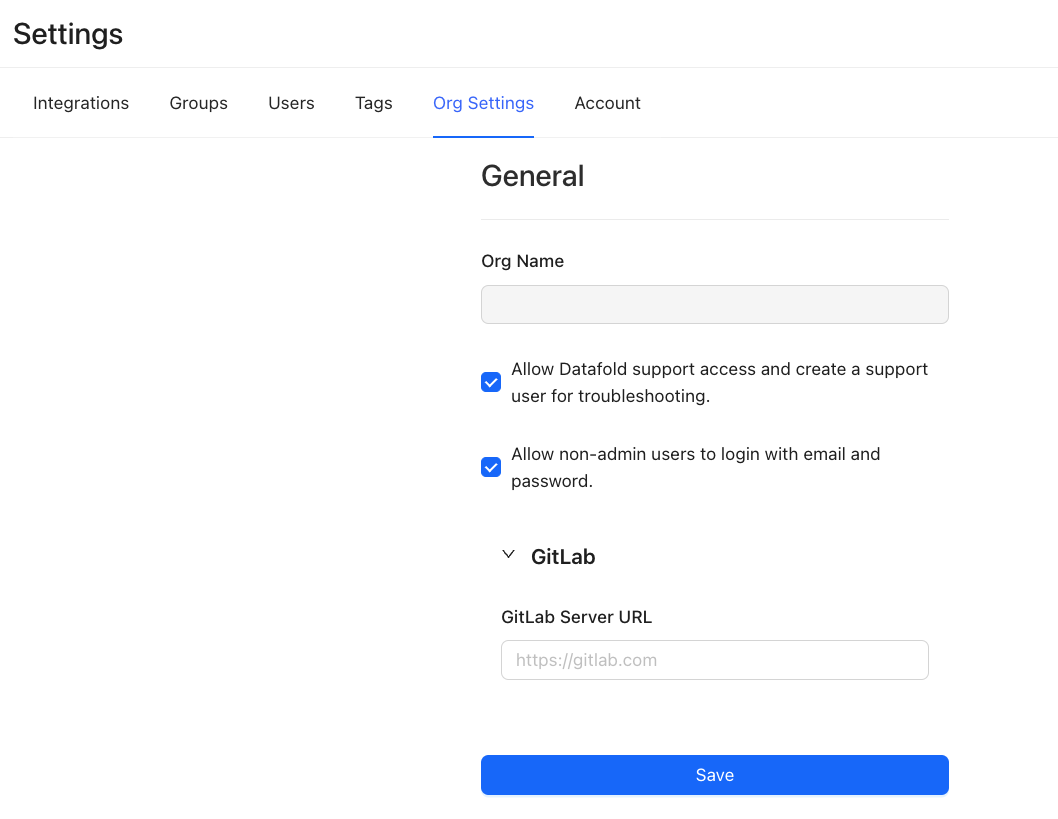
 If you want to change the GitLab URL, you can do so after setting up the integration. To do so, navigate to **Settings**, then **Org Settings**: