> ## Documentation Index
> Fetch the complete documentation index at: https://docs.datafold.com/llms.txt
> Use this file to discover all available pages before exploring further.
# GitHub
> Connect Datafold to GitHub to enable automated data diffs on pull requests, CI/CD testing integration, and code-level lineage tracking.
**PREREQUISITES**
* Datafold Admin role
* Your GitHub account must be a member of the GitHub organization where the Datafold app is to be installed
* Approval of your request to add the Datafold app to your repo must be granted by a GitHub repo admin or GitHub organization owner.
To set up a new integration, click the repository field and select the **Install GitHub app** button.
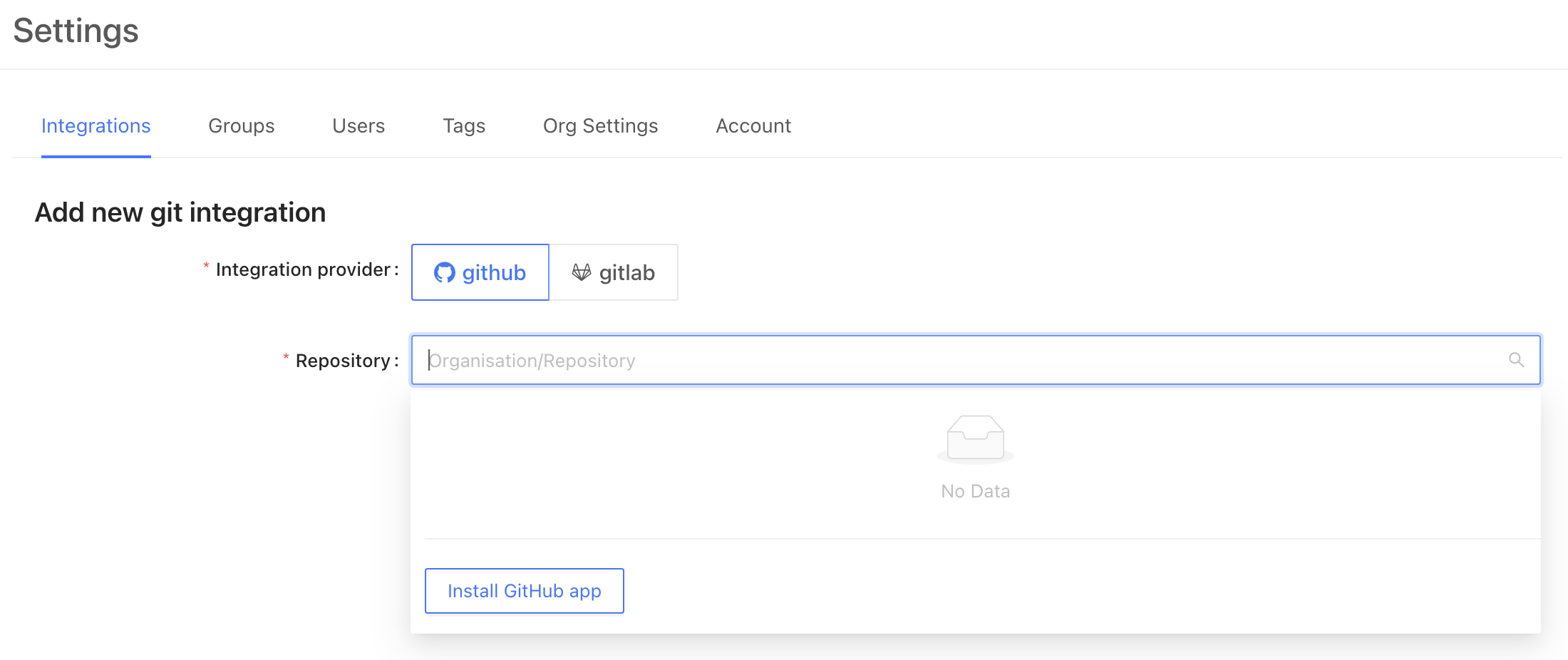 From here, GitHub will redirect you to login to your account and choose which organization you would like to connect. After choosing the right organization, you may choose to allow access to all repositories or specific ones.
Once complete, you will be redirected back to Datafold, where you can select the appropriate repository for connection.
**TIP**
If you lack permission to add the Datafold app, request approval from a GitHub admin.
After installation, click **Refresh** to display the newly added repositories in the dropdown list.
To complete the setup, click **Save**!
**INFO**
VPC deployments are an Enterprise feature. Please email [sales@datafold.com](mailto:sales@datafold.com) to enable your account.
## GitHub integration for VPC / single-tenant Datafold deployments
### Create a GitHub application
VPC clients of Datafold need to create their own GitHub app, rather than use the shared Datafold GitHub application.
Start by navigating to **Settings** → **Global Settings**.
From here, GitHub will redirect you to login to your account and choose which organization you would like to connect. After choosing the right organization, you may choose to allow access to all repositories or specific ones.
Once complete, you will be redirected back to Datafold, where you can select the appropriate repository for connection.
**TIP**
If you lack permission to add the Datafold app, request approval from a GitHub admin.
After installation, click **Refresh** to display the newly added repositories in the dropdown list.
To complete the setup, click **Save**!
**INFO**
VPC deployments are an Enterprise feature. Please email [sales@datafold.com](mailto:sales@datafold.com) to enable your account.
## GitHub integration for VPC / single-tenant Datafold deployments
### Create a GitHub application
VPC clients of Datafold need to create their own GitHub app, rather than use the shared Datafold GitHub application.
Start by navigating to **Settings** → **Global Settings**.
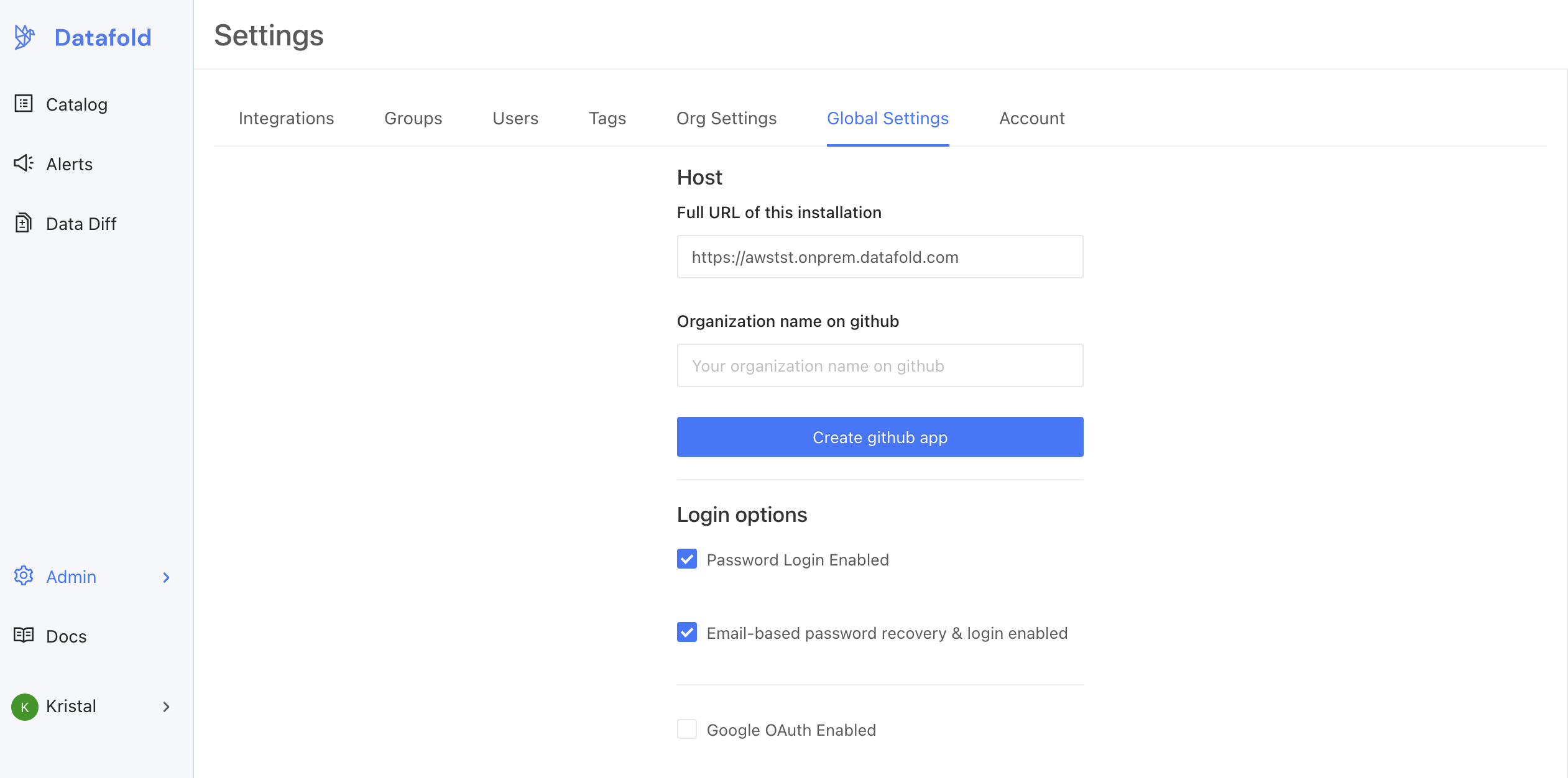 To begin the set up process, enter the domain that was registered for the VPC deployment in [AWS](/datafold-deployment/dedicated-cloud/aws) or [GCP](/datafold-deployment/dedicated-cloud/gcp). Then, enter the name of the GitHub organization where you'd like to install the application. When filled, click **Create GitHub App**.
This will redirect the admin to GitHub, where they may need to authenticate. **The GitHub user must be an admin of the GitHub organization.**
After authentication, you should be directed to enter a description for the GitHub App. After entering the description, click **Create GitHub app**.
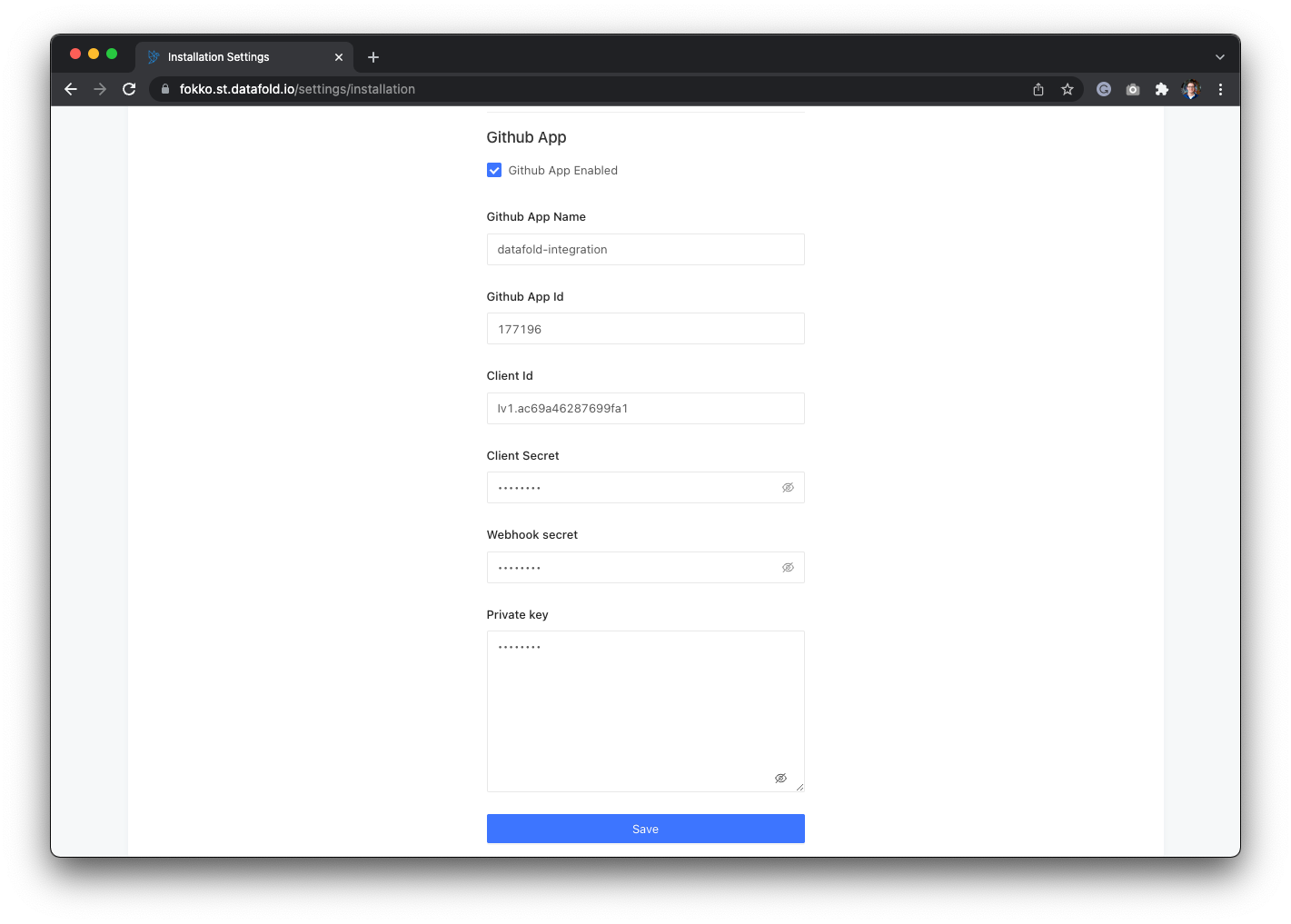
Once the application is created, you should be returned to the Datafold settings screen. The button should then have disappeared, and the details for the GitHub App should be visible.
To begin the set up process, enter the domain that was registered for the VPC deployment in [AWS](/datafold-deployment/dedicated-cloud/aws) or [GCP](/datafold-deployment/dedicated-cloud/gcp). Then, enter the name of the GitHub organization where you'd like to install the application. When filled, click **Create GitHub App**.
This will redirect the admin to GitHub, where they may need to authenticate. **The GitHub user must be an admin of the GitHub organization.**
After authentication, you should be directed to enter a description for the GitHub App. After entering the description, click **Create GitHub app**.
Once the application is created, you should be returned to the Datafold settings screen. The button should then have disappeared, and the details for the GitHub App should be visible.
 ### Making the GitHub application public
If you have a private GitHub instance with multiple organizations and want to use the Datafold app across all of them, you'll need to make the app public on your private server.
You can do so in GitHub by following these steps:
1. Navigate to the GitHub organization where the app was created.
2. Click **Settings**.
3. Go to **Developer Settings** → **GitHub Apps**.
4. Select the **Datafold app**.
5. Click **Advanced**, then **Make public**.
The app will be public **only on your private GitHub server**, ensuring it can be accessed across all your organizations.
### Configure GitHub in Datafold
If you see this screen with all the details, you've successfully created a GitHub App! Now that the app is created, you have to install it using the [GitHub integration setup](/integrations/code-repositories/github).
### Making the GitHub application public
If you have a private GitHub instance with multiple organizations and want to use the Datafold app across all of them, you'll need to make the app public on your private server.
You can do so in GitHub by following these steps:
1. Navigate to the GitHub organization where the app was created.
2. Click **Settings**.
3. Go to **Developer Settings** → **GitHub Apps**.
4. Select the **Datafold app**.
5. Click **Advanced**, then **Make public**.
The app will be public **only on your private GitHub server**, ensuring it can be accessed across all your organizations.
### Configure GitHub in Datafold
If you see this screen with all the details, you've successfully created a GitHub App! Now that the app is created, you have to install it using the [GitHub integration setup](/integrations/code-repositories/github).