> ## Documentation Index
> Fetch the complete documentation index at: https://docs.datafold.com/llms.txt
> Use this file to discover all available pages before exploring further.
# Bitbucket
## 1. Issue an Access Token
### Bitbucket Cloud
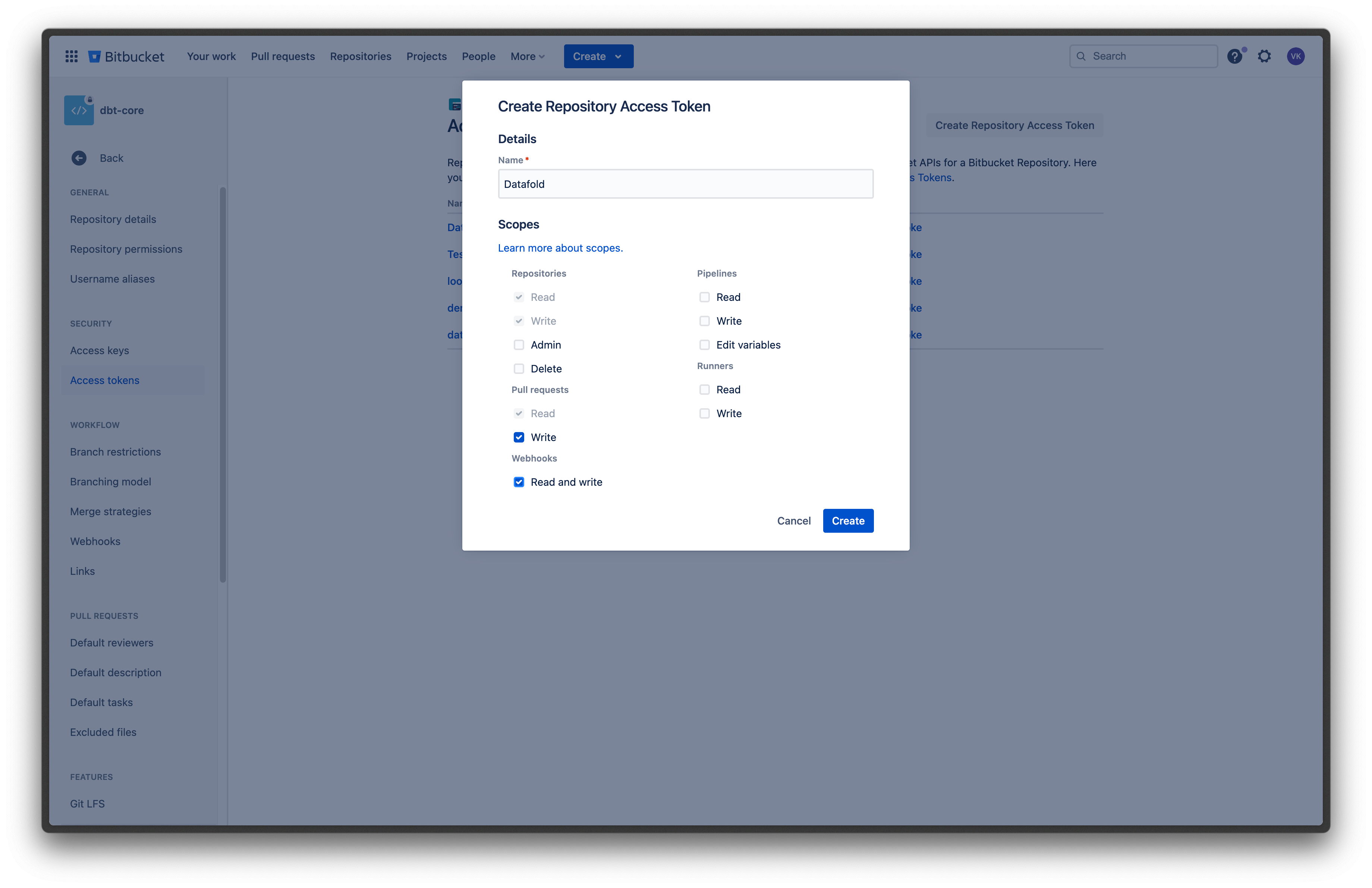
To get the [repository access token](https://support.atlassian.com/bitbucket-cloud/docs/create-a-repository-access-token/), navigate to your Bitbucket repository settings and create a new token.
When configuring your token, enable following permissions:
* **Pull requests** -> **Write**, so that Datafold can post reports with Data Diff results to pull requests.
* **Webhooks** -> **Read and write**, so that Datafold can configure all webhooks that we need automatically.
 ### Bitbucket Data Center / Server
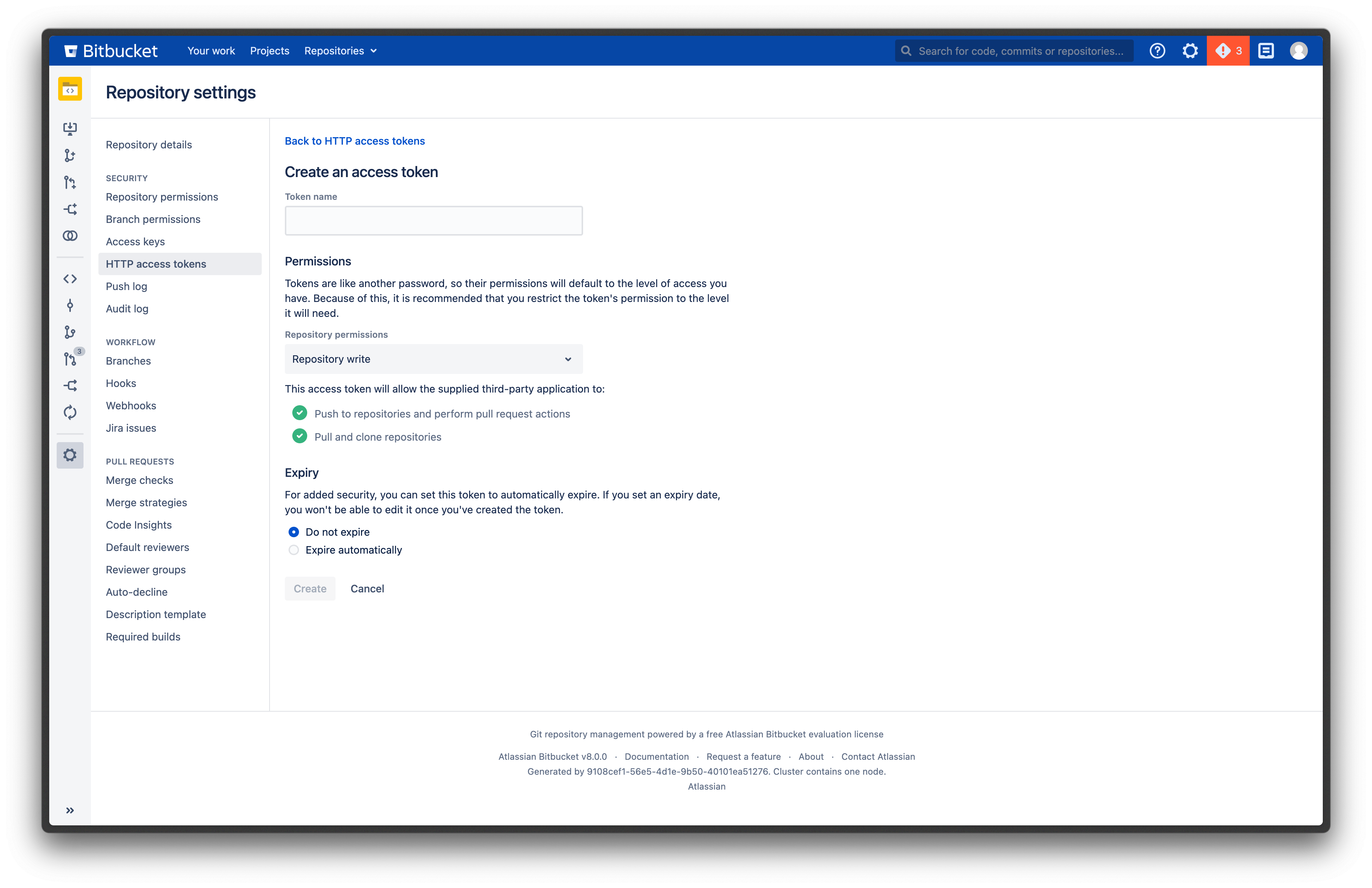
To get a [repository access token](https://confluence.atlassian.com/bitbucketserver/http-access-tokens-939515499.html), navigate to your Bitbucket repository settings and create a new token.
When configuring your token, enable **Repository admin** permissions.
We need admin access to the repository to be able to post reports with Data Diff results to pull requests, and also configure all necessary webhooks automatically.
### Bitbucket Data Center / Server
To get a [repository access token](https://confluence.atlassian.com/bitbucketserver/http-access-tokens-939515499.html), navigate to your Bitbucket repository settings and create a new token.
When configuring your token, enable **Repository admin** permissions.
We need admin access to the repository to be able to post reports with Data Diff results to pull requests, and also configure all necessary webhooks automatically.
 ## 2. Configure integration in Datafold
Navigate back to Datafold and fill in the configuration form.
### Bitbucket Cloud
* **Personal/project Access Token**: the token you created in step 1.
* **Repository**: your Bitbucket repository name.
For example, if your Bitbucket project URL is `https://bitbucket.org/datafold/dbt/`, your Project Name is `datafold/dbt`.
### Bitbucket Data Center / Server
* **Personal/project Access Token**: the token you created in step 1.
* **Repository**: the full URL of your Bitbucket repository.
For example, `https://bitbucket.myorg.com/projects/datafold/repos/dbt`.
## 2. Configure integration in Datafold
Navigate back to Datafold and fill in the configuration form.
### Bitbucket Cloud
* **Personal/project Access Token**: the token you created in step 1.
* **Repository**: your Bitbucket repository name.
For example, if your Bitbucket project URL is `https://bitbucket.org/datafold/dbt/`, your Project Name is `datafold/dbt`.
### Bitbucket Data Center / Server
* **Personal/project Access Token**: the token you created in step 1.
* **Repository**: the full URL of your Bitbucket repository.
For example, `https://bitbucket.myorg.com/projects/datafold/repos/dbt`.