> ## Documentation Index
> Fetch the complete documentation index at: https://docs.datafold.com/llms.txt
> Use this file to discover all available pages before exploring further.
# Slim Diff
> Choose which downstream tables to diff to optimize time, cost, and performance.
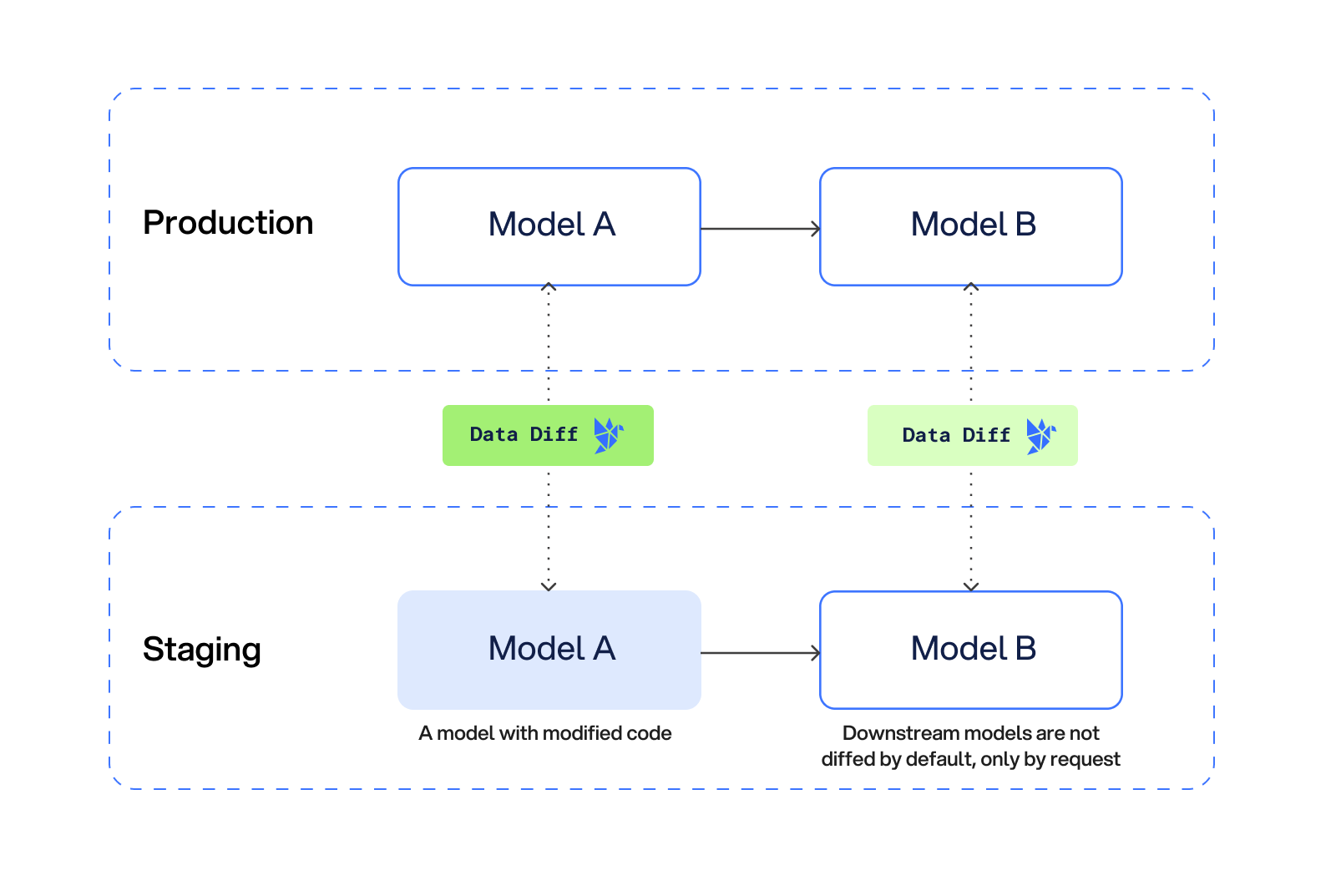
By default, Datafold diffs all modified models and downstream models. However, it won't make sense for all organizations to diff every downstream table every time you make a code update. Tradeoffs of time, cost, and risk must be considered.
That's why we created Slim Diff.
With Slim Diff enabled, Datafold will only diff models with dbt code changes in your Pull Request (PR).
 ## Setting up Slim Diff
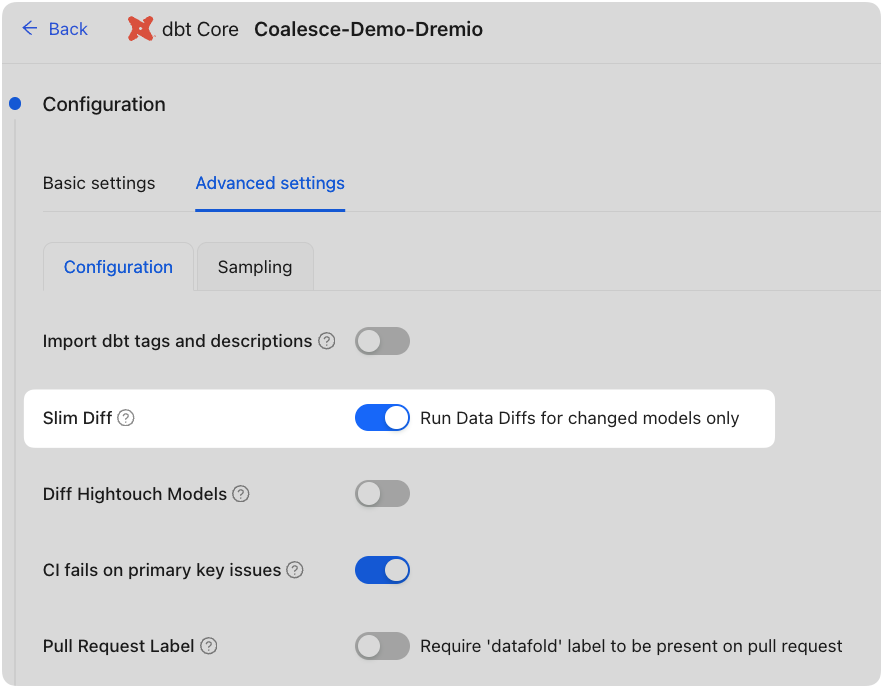
In Datafold, Slim Diff can be enabled by adjusting your diff settings by navigating to Settings → Integrations → CI → Select your CI tool → Advanced Settings and check the Slim Diff box:
## Setting up Slim Diff
In Datafold, Slim Diff can be enabled by adjusting your diff settings by navigating to Settings → Integrations → CI → Select your CI tool → Advanced Settings and check the Slim Diff box:
 ## Diffing only modified models
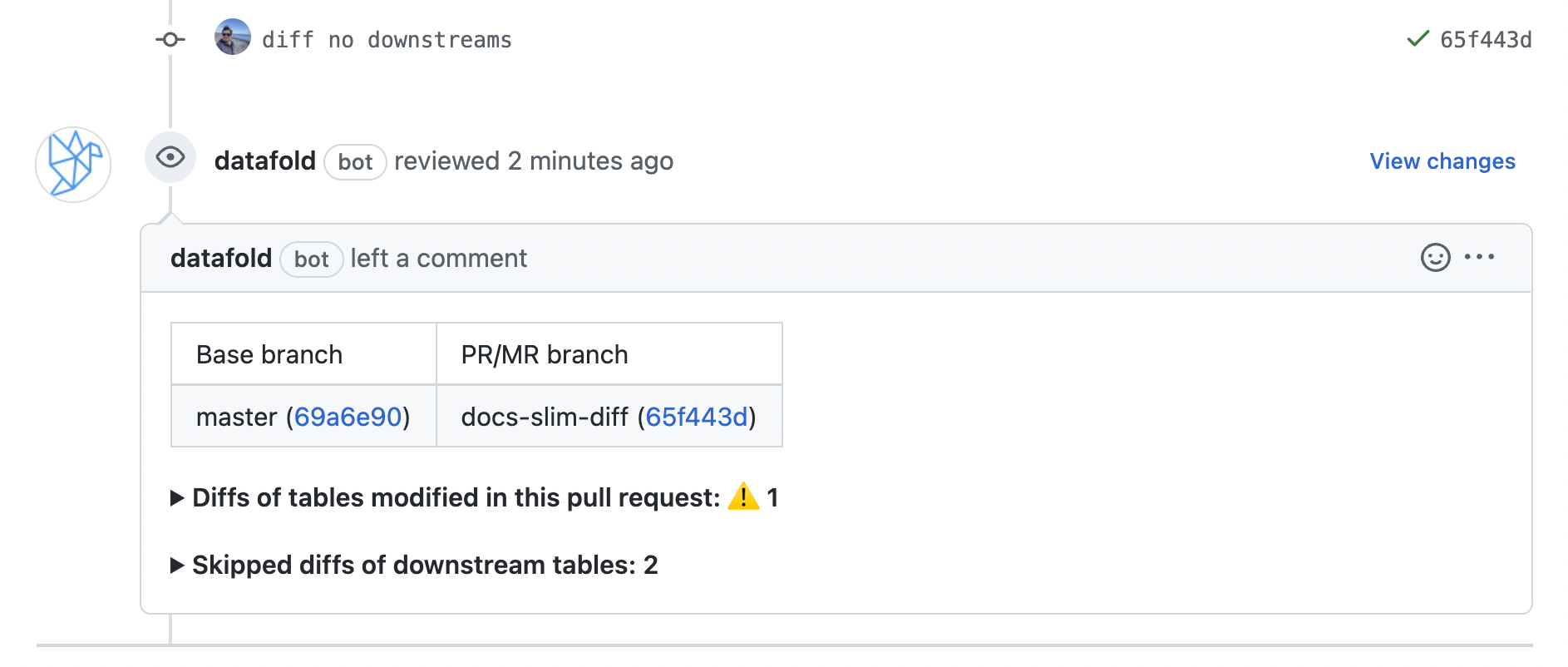
With this setting turned on, only the modified models will be diffed by default.
## Diffing only modified models
With this setting turned on, only the modified models will be diffed by default.
 ## Diff individual downstream models
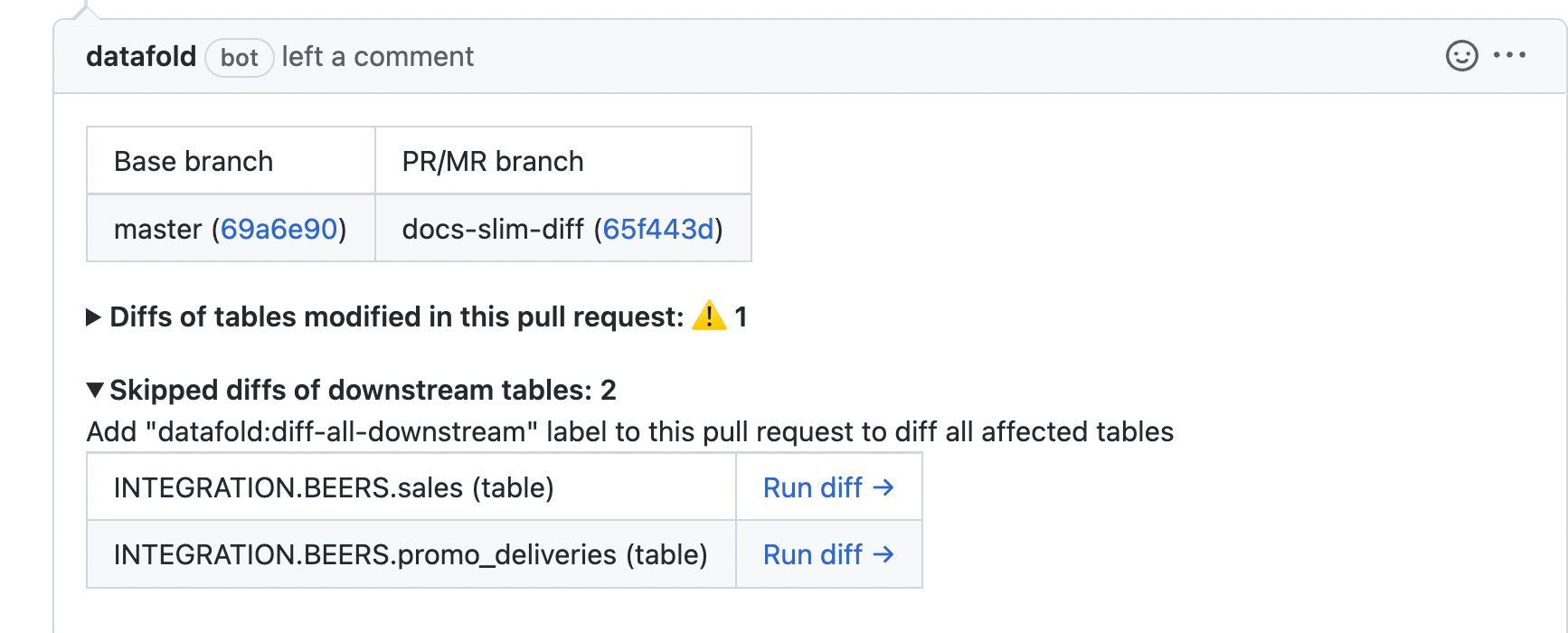
Once Datafold has diffed only the modified models, you still have the option of diffing individual downstream models right within your PR.
## Diff individual downstream models
Once Datafold has diffed only the modified models, you still have the option of diffing individual downstream models right within your PR.
 ## Diff all downstream models
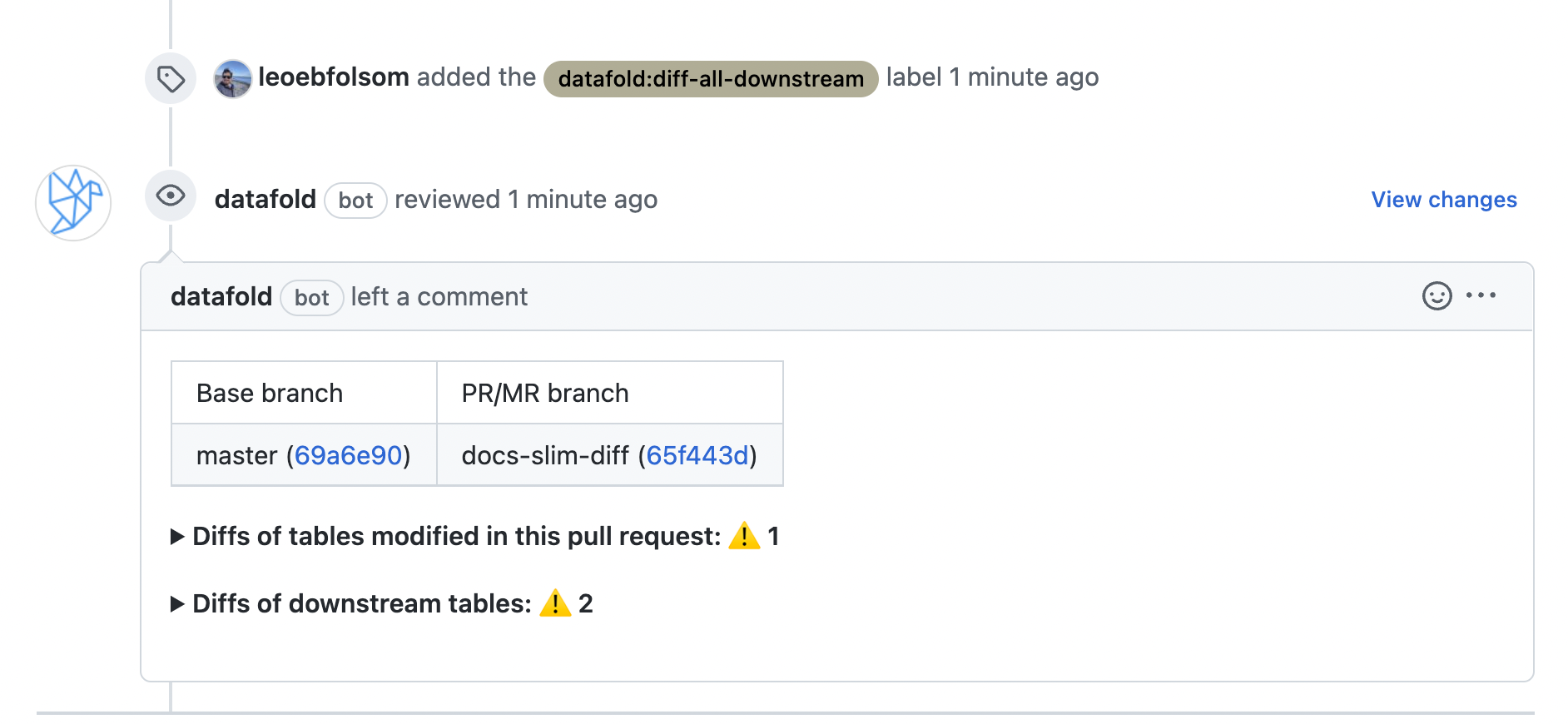
You can also add the `datafold:diff-all-downstream` label within your PR, which will automatically diff *all* downstream models.
## Diff all downstream models
You can also add the `datafold:diff-all-downstream` label within your PR, which will automatically diff *all* downstream models.
 ## Explicitly define which models to always diff
Finally, with Slim Diff turned on, there might be certain models or subdirectories that you want to *always* diff when downstream. You can think of this as an exclusion to the Slim Diff behavior.
Apply the `slim_diff: diff_when_downstream` meta tag to individual models or entire folders in your `dbt_project.yml` file:
```Bash theme={null}
models:
:
:
+materialized: view
:
+meta:
datafold:
datadiff:
slim_diff: diff_when_downstream
:
+meta:
datafold:
datadiff:
slim_diff: diff_when_downstream
```
These meta tags can also be added in individual yaml files or in config blocks. More details about using meta tags are available in [the dbt docs](https://docs.getdbt.com/reference/resource-configs/meta).
With this configuration in place, Slim Diff will prevent downstream models from being run *unless* they have been designated as exceptions with the `slim_diff: diff_when_downstream` dbt meta tag.
## Explicitly define which models to always diff
Finally, with Slim Diff turned on, there might be certain models or subdirectories that you want to *always* diff when downstream. You can think of this as an exclusion to the Slim Diff behavior.
Apply the `slim_diff: diff_when_downstream` meta tag to individual models or entire folders in your `dbt_project.yml` file:
```Bash theme={null}
models:
:
:
+materialized: view
:
+meta:
datafold:
datadiff:
slim_diff: diff_when_downstream
:
+meta:
datafold:
datadiff:
slim_diff: diff_when_downstream
```
These meta tags can also be added in individual yaml files or in config blocks. More details about using meta tags are available in [the dbt docs](https://docs.getdbt.com/reference/resource-configs/meta).
With this configuration in place, Slim Diff will prevent downstream models from being run *unless* they have been designated as exceptions with the `slim_diff: diff_when_downstream` dbt meta tag.
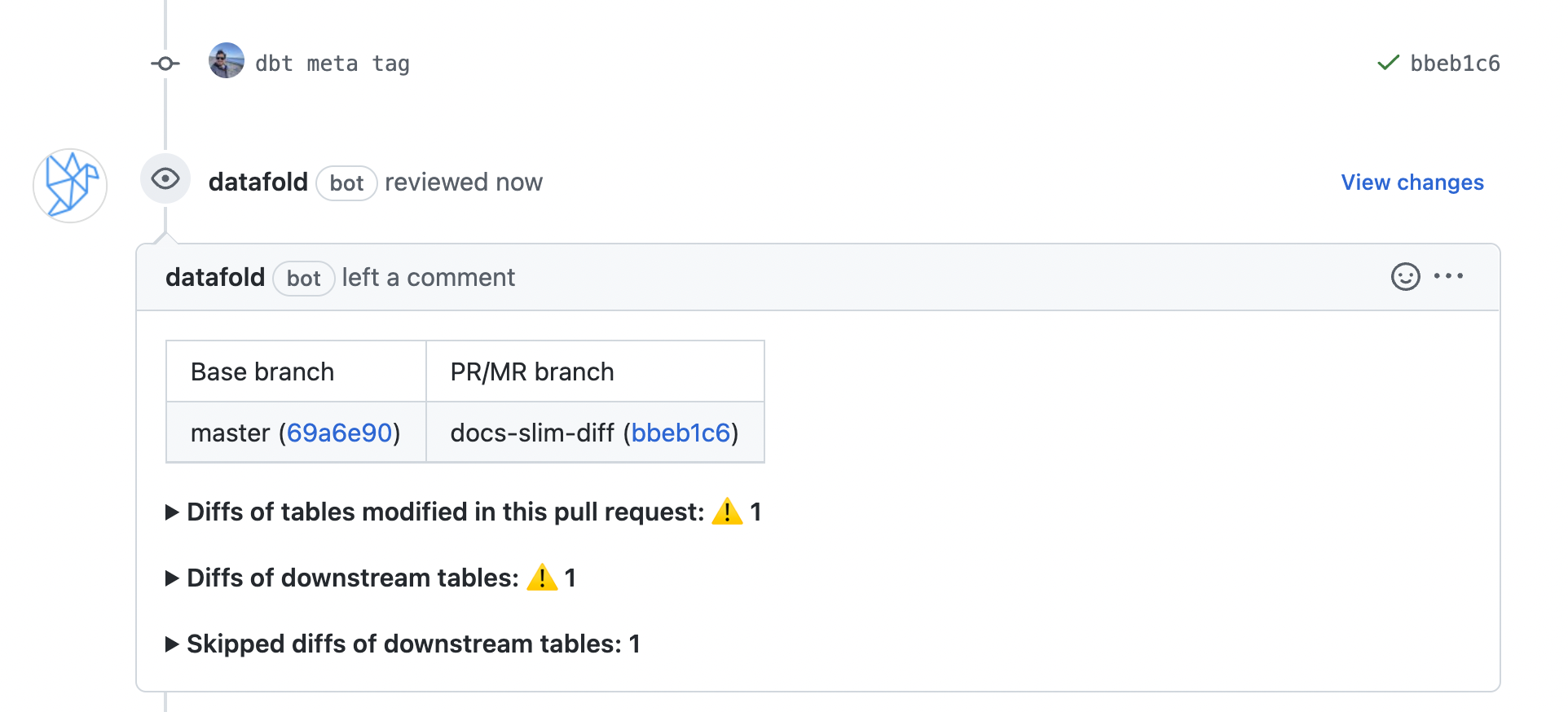 As usual, once the PR has been opened, you'll still have the option of diffing individual downstream models that weren't diffed, or diffing all downstream models using the `datafold:diff-all-downstream` label.