> ## Documentation Index
> Fetch the complete documentation index at: https://docs.datafold.com/llms.txt
> Use this file to discover all available pages before exploring further.
# Introduction
> Get started with the Datafold REST API. Learn how to authenticate, obtain an API key, and make your first API call.
Our REST API allows you to interact with Datafold programmatically. To use it, you'll need an API key. Follow the instructions below to get started.
## Create an API Key
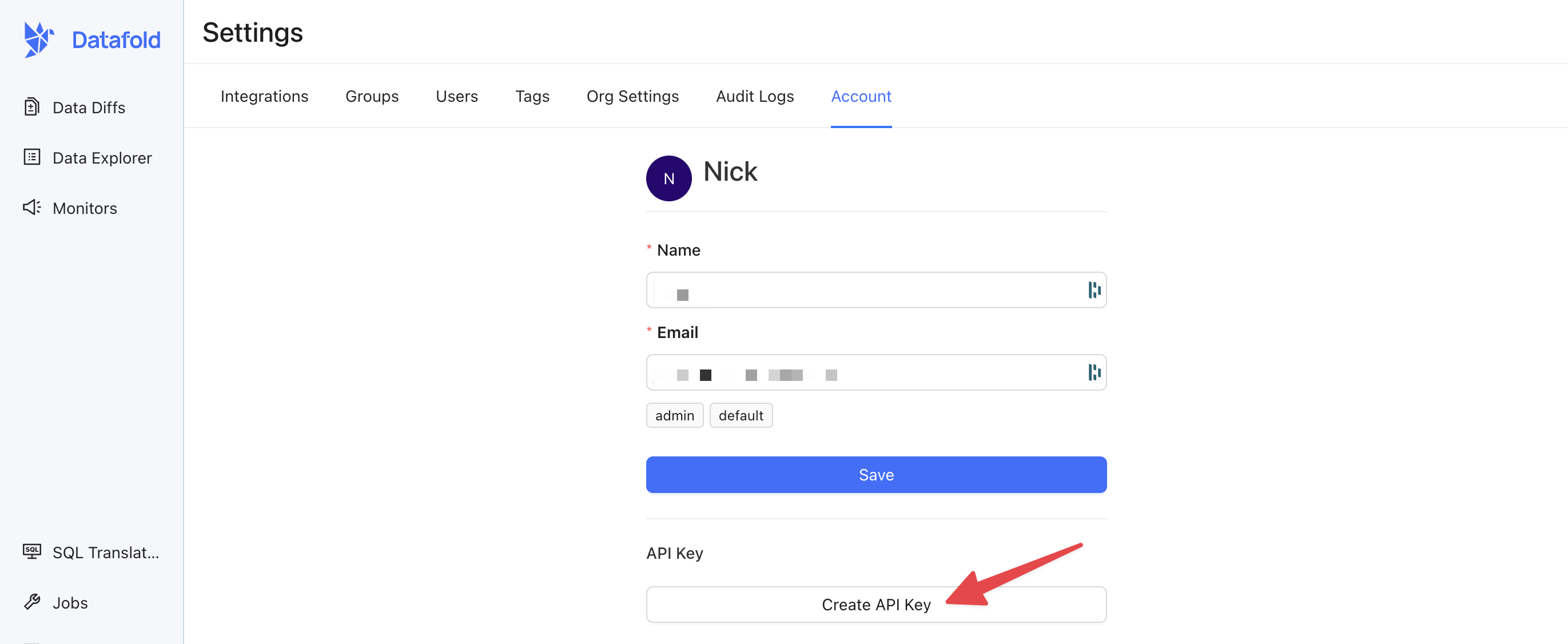
Open the Datafold app, visit Settings > Account, and select **Create API Key**.
Store your API key somewhere safe. If you lose it, you'll need to generate a new one.
 For CI pipelines, dbt jobs, scripts, and other automation, prefer a [service account](/security/service-accounts) over a personal API key. Service accounts are machine identities owned by your organization — they survive when the original creator leaves the team and can hold many more keys (50 vs. 5 per human user).
## Use your API Key
When making requests to the Datafold API, you'll need to include the API key as a header in your HTTP request for authentication. The header should be named `Authorization`, and the value should be in the format:
```
Authorization: Key {API_KEY}
```
For example, if you're using cURL:
```bash theme={null}
curl https://app.datafold.com/api/v1/... -H "Authorization: Key {API_KEY}"
```
## Datafold SDK
Rather than hit our REST API endpoints directly, we offer a convenient Python SDK for common development and deployment testing workflows. You can find more information about our SDK [here](/api-reference/datafold-sdk).
## Need help?
If you have any questions about how to use our REST API, please reach out to our team via Slack, in-app chat, or email us at [support@datafold.com](mailto:support@datafold.com).
For CI pipelines, dbt jobs, scripts, and other automation, prefer a [service account](/security/service-accounts) over a personal API key. Service accounts are machine identities owned by your organization — they survive when the original creator leaves the team and can hold many more keys (50 vs. 5 per human user).
## Use your API Key
When making requests to the Datafold API, you'll need to include the API key as a header in your HTTP request for authentication. The header should be named `Authorization`, and the value should be in the format:
```
Authorization: Key {API_KEY}
```
For example, if you're using cURL:
```bash theme={null}
curl https://app.datafold.com/api/v1/... -H "Authorization: Key {API_KEY}"
```
## Datafold SDK
Rather than hit our REST API endpoints directly, we offer a convenient Python SDK for common development and deployment testing workflows. You can find more information about our SDK [here](/api-reference/datafold-sdk).
## Need help?
If you have any questions about how to use our REST API, please reach out to our team via Slack, in-app chat, or email us at [support@datafold.com](mailto:support@datafold.com).